Your Workout
At Your Fingertips
Track workouts, nutrition, and progress in a professional app provided by your trainer. Everything in one place, 24/7.
Everything You Need
Professional support and tools to achieve your fitness goals.
Personalized Mobile App
Your workout program available 24/7 on your phone. All information in one place.
Professional Workout Plans
Your trainer creates personalized workout plans tailored to your goals.
Health Data Tracking
Steps, sleep, calories, and more — all automatically synced with your device.
Nutrition Tracking
Easy meal logging with automatic calorie, protein, and carb calculations.
Detailed Analytics
Visualize your progress over time. Track PRs and achievements.
Motivation & Achievements
Badges and rewards for your accomplishments. Stay motivated on your journey!
What Can You Do With the Orion App?
Guided exercises with a built-in rest timer
Meal logging with automatic macro calculations
Visualize your progress and personal records
Choose a Guide
Click on a section to learn how to use each feature.
Registration & Connection
Learn how to register and connect with your trainer in 10 simple steps.
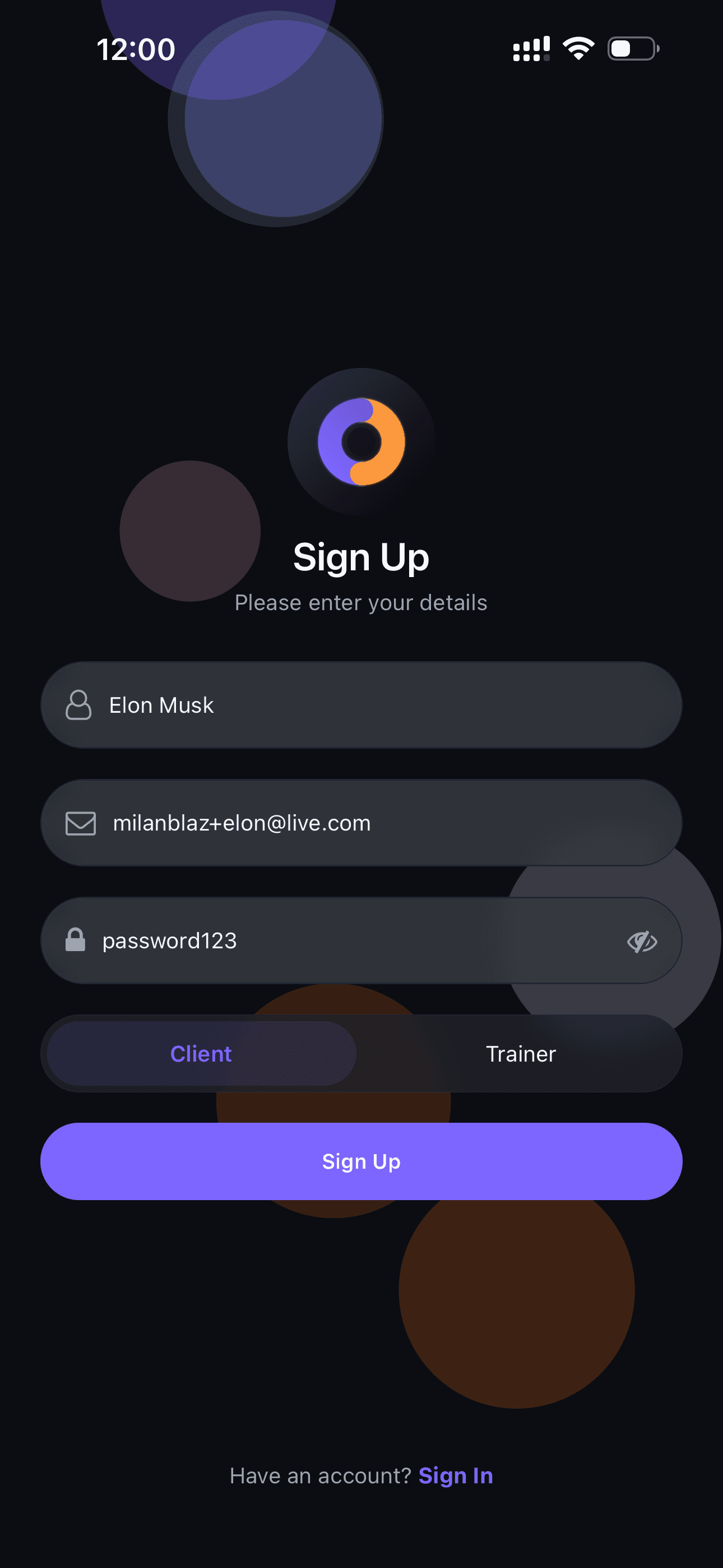
Registration
Open the app and register with your email and password.
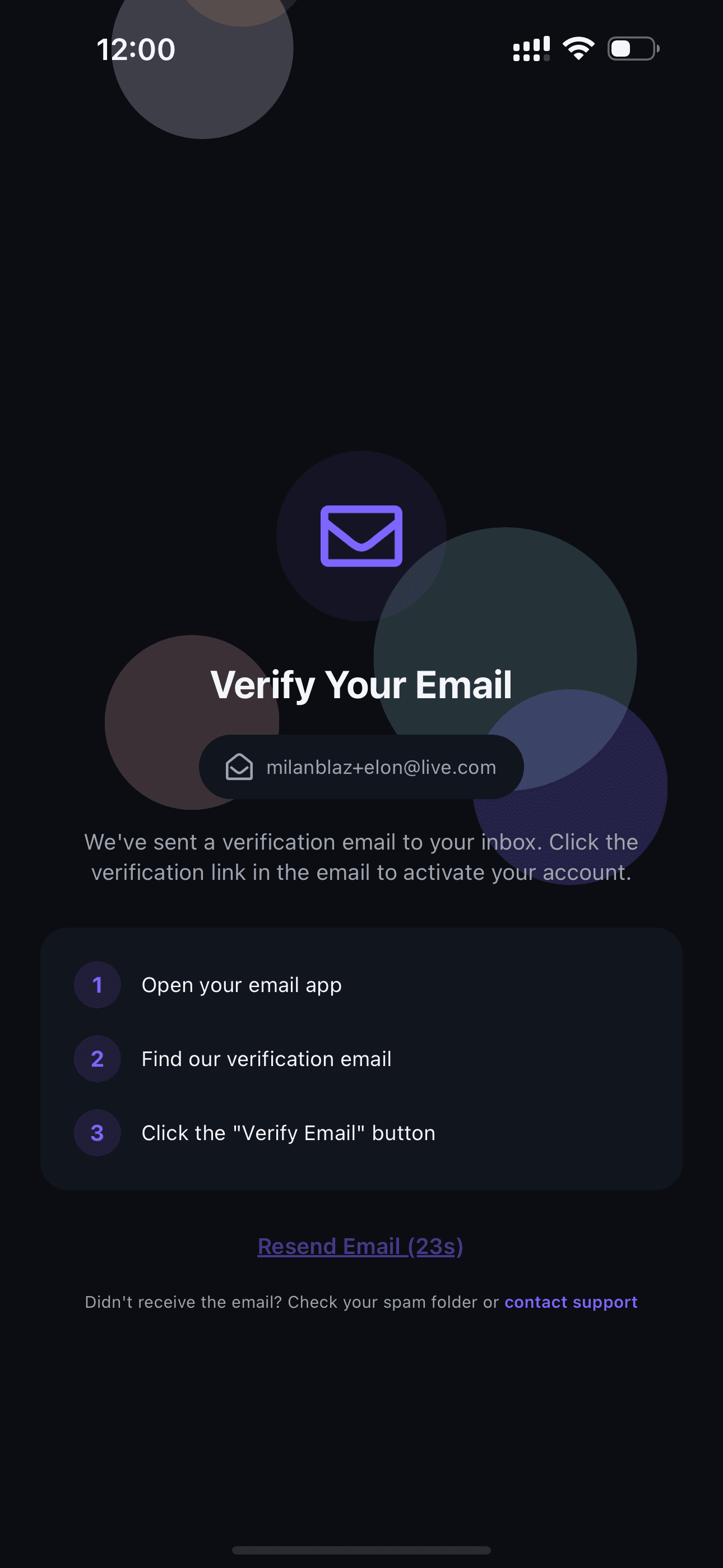
Check Your Email
Receive a verification email in your inbox.
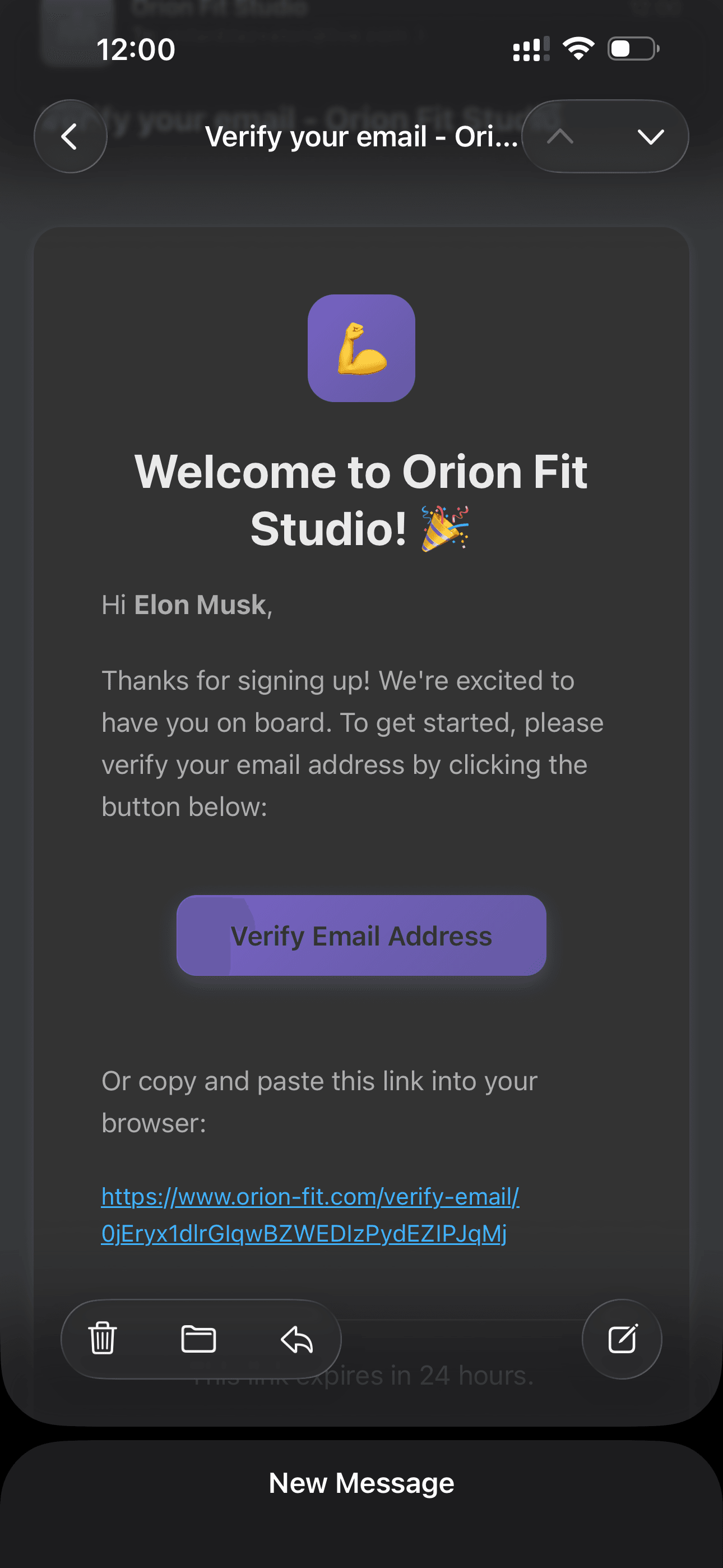
Verify Your Email
Click the link in the email to verify your account.
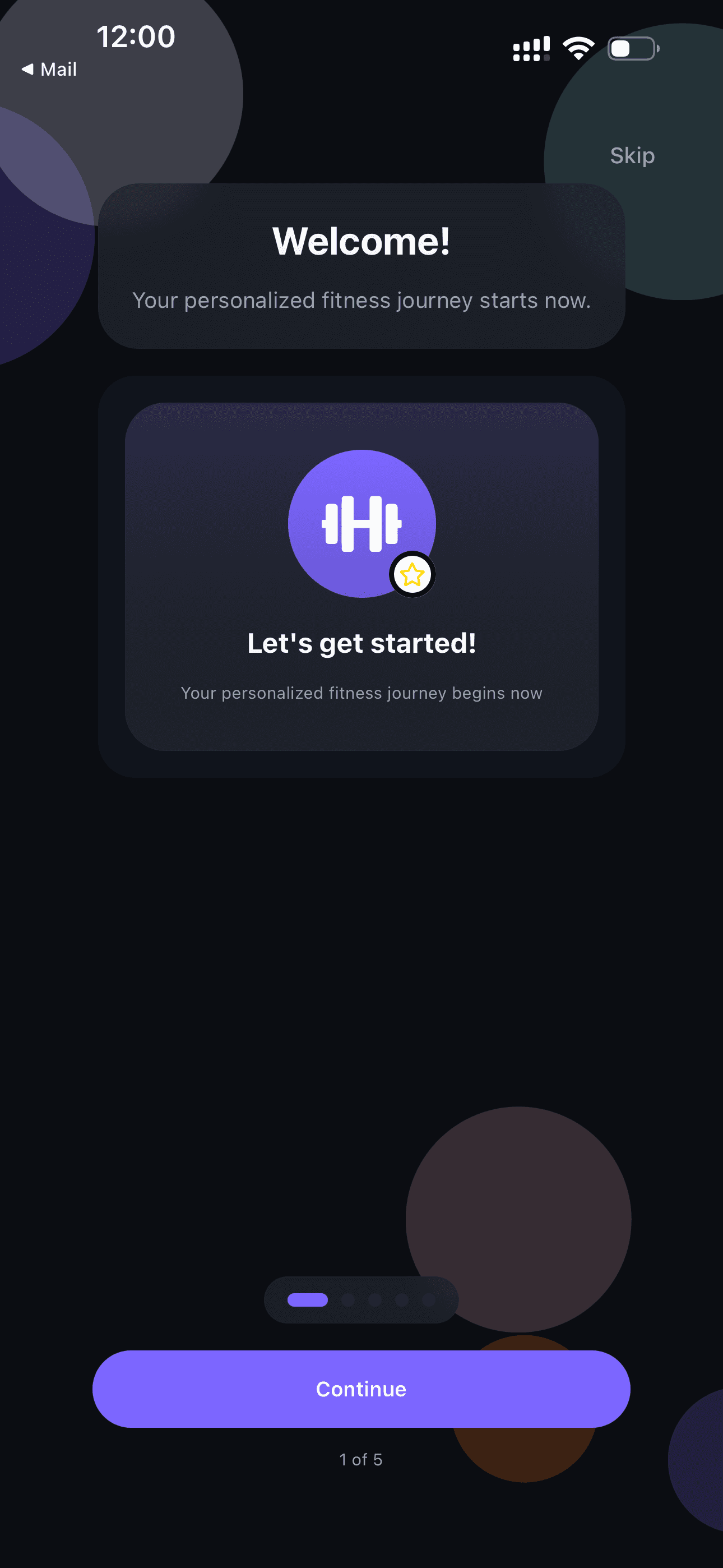
Welcome!
After verification, you'll be greeted in the app.
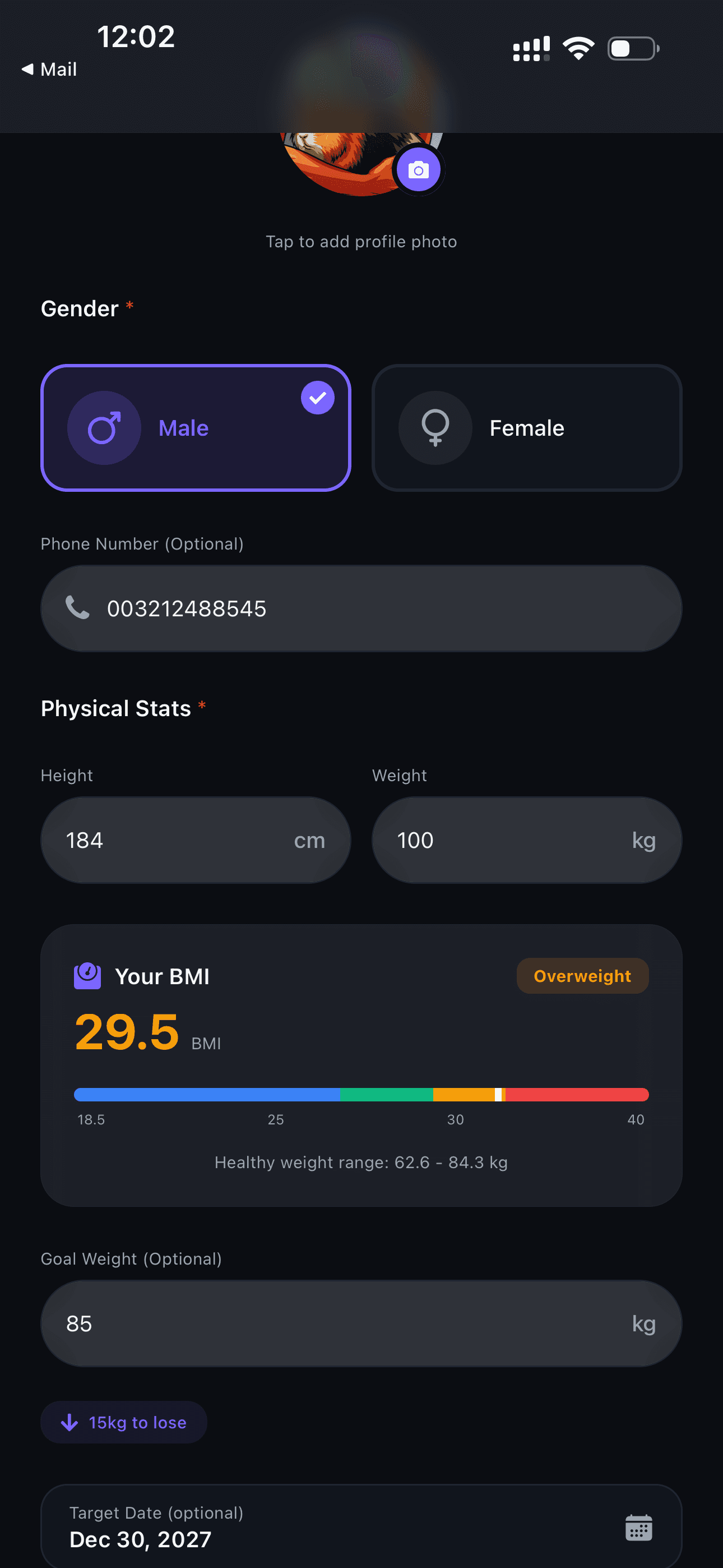
Onboarding
Fill out a short questionnaire about your goals and preferences.
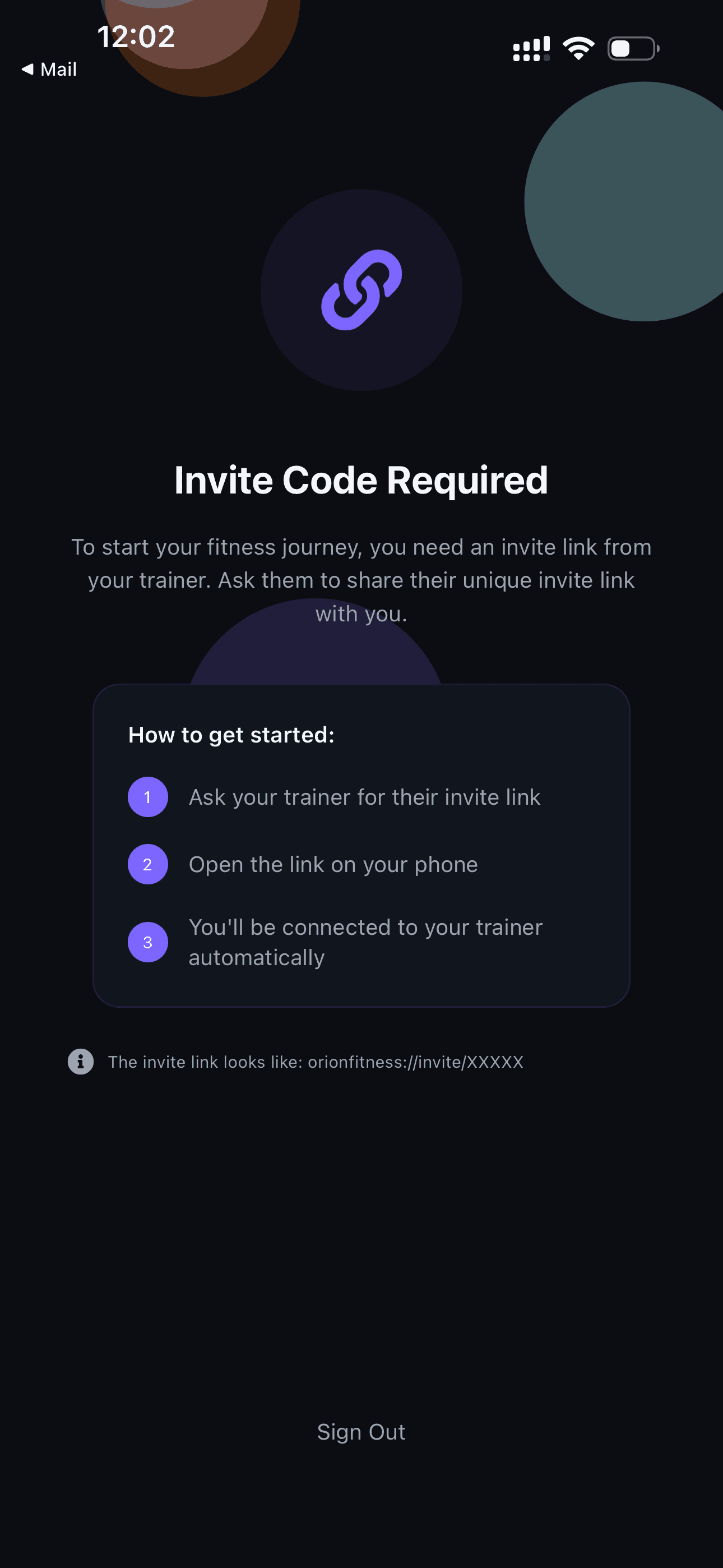
Invite Code
Enter the invite code you received from your trainer.
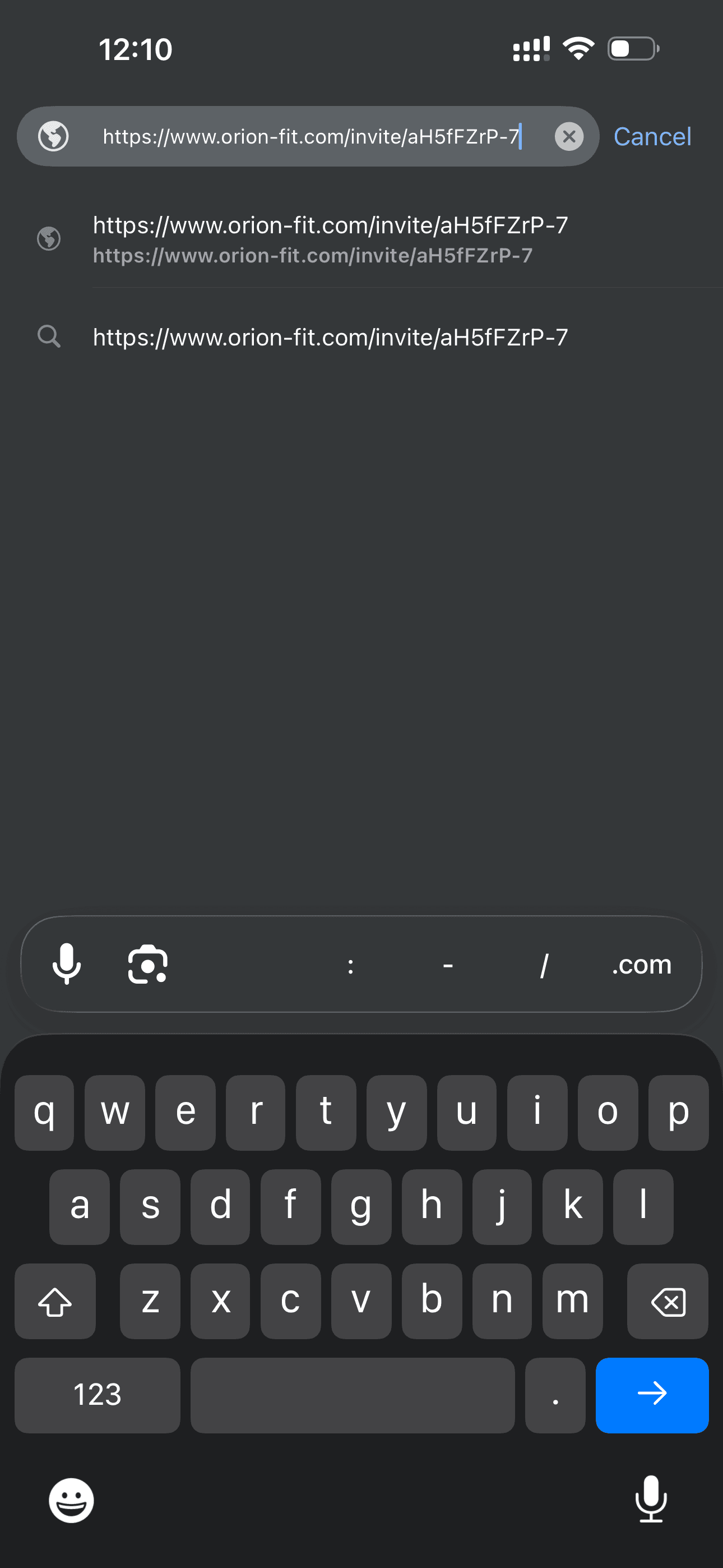
Open the Link
Alternatively, you can open the direct invite link from your trainer.
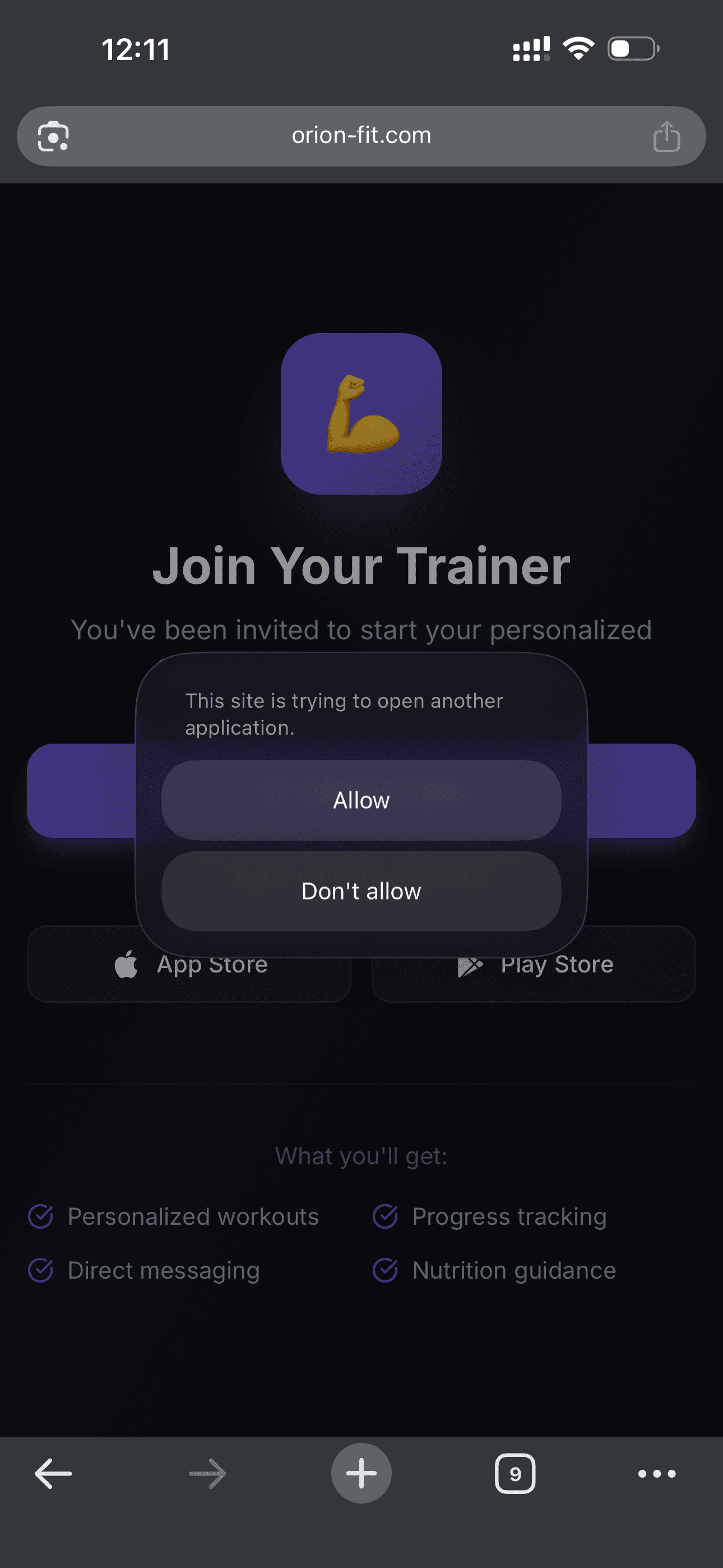
Allow Opening
Confirm opening the app through the link.
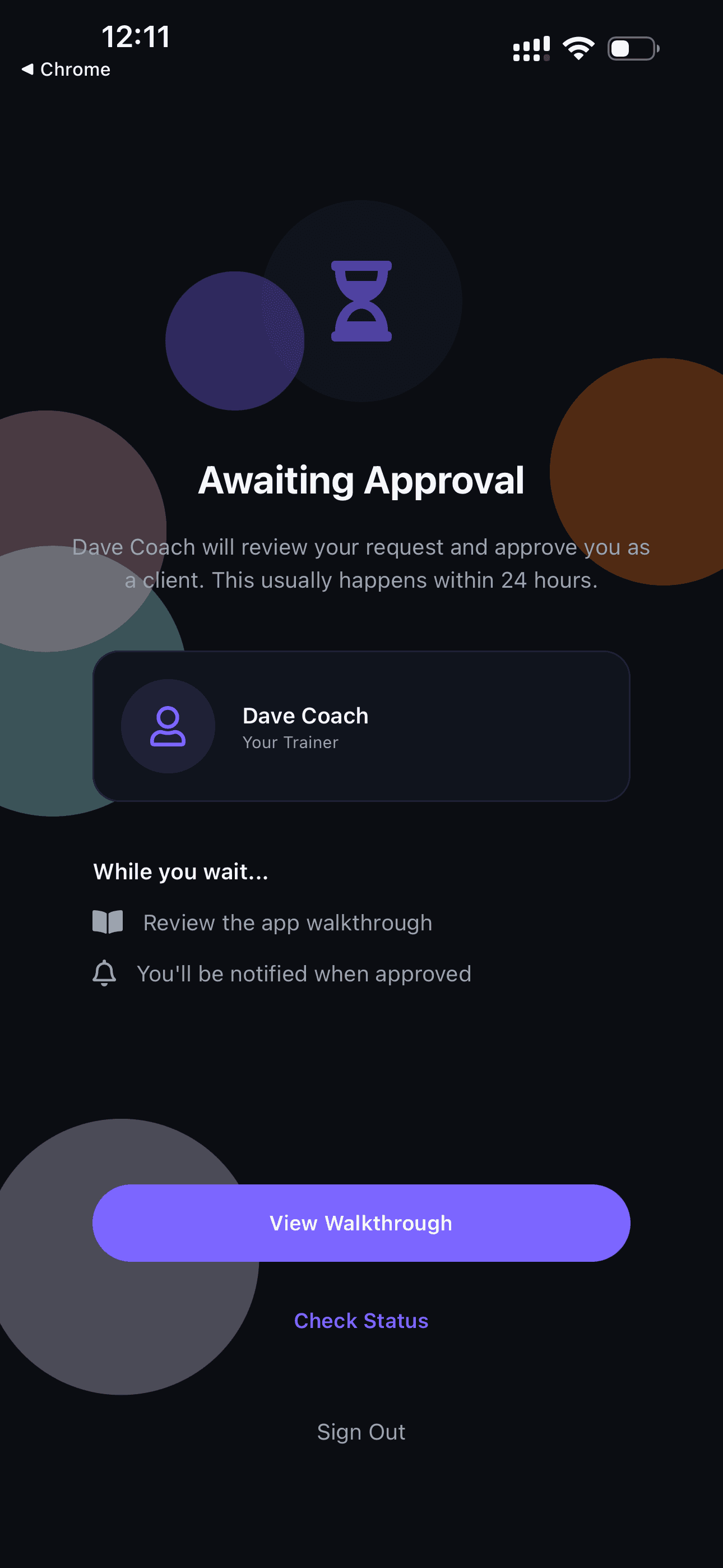
Awaiting Approval
Wait for your trainer to approve your connection request.
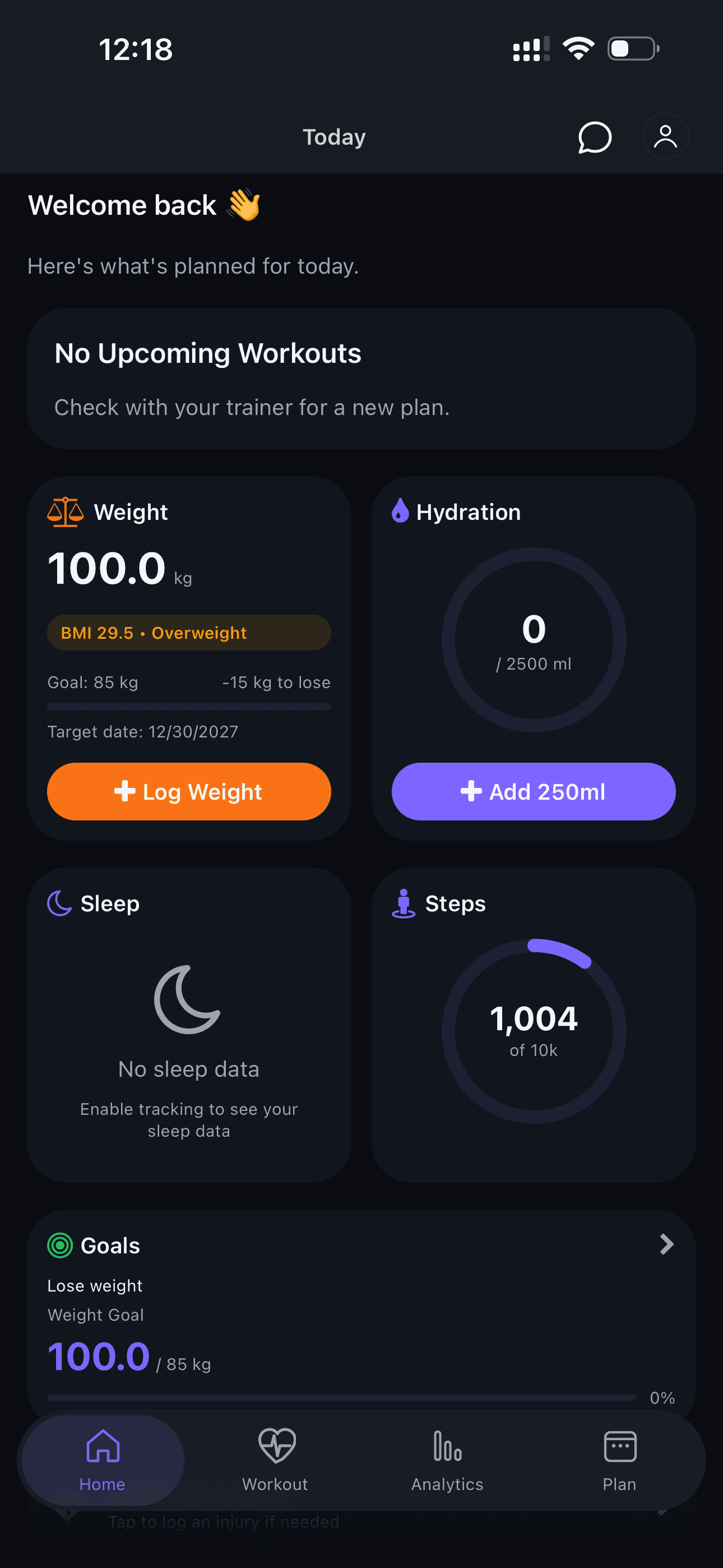
Access Granted!
After approval, you can log in and see your home screen.
Home Screen & Health
Your dashboard with all the important information in one place.
Home Screen
Your dashboard with all key information — progress, upcoming workouts, and health data.
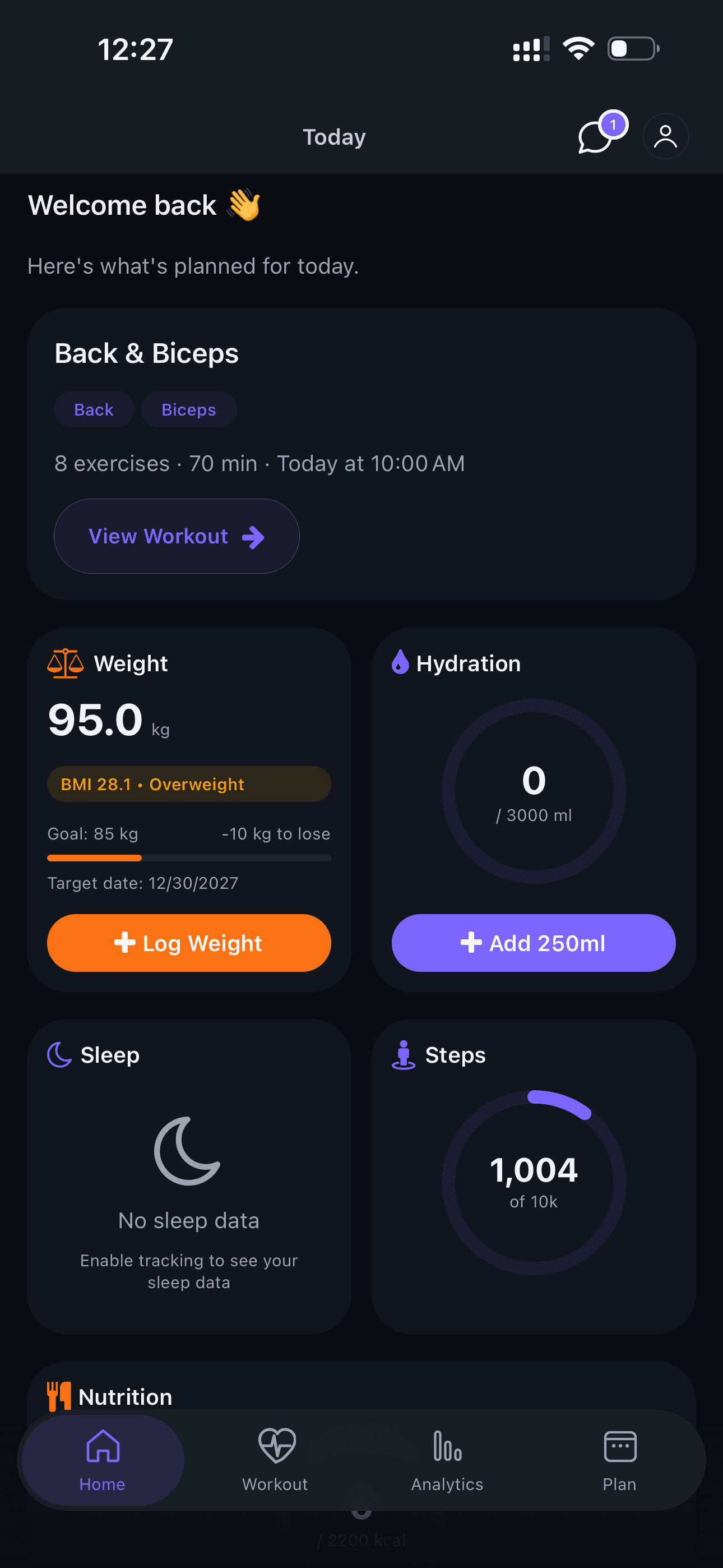
Health Data
Track steps, sleep, and calories. Update your target weight and monitor progress.
Workout Guide
Learn how to complete a workout with all the app's features.
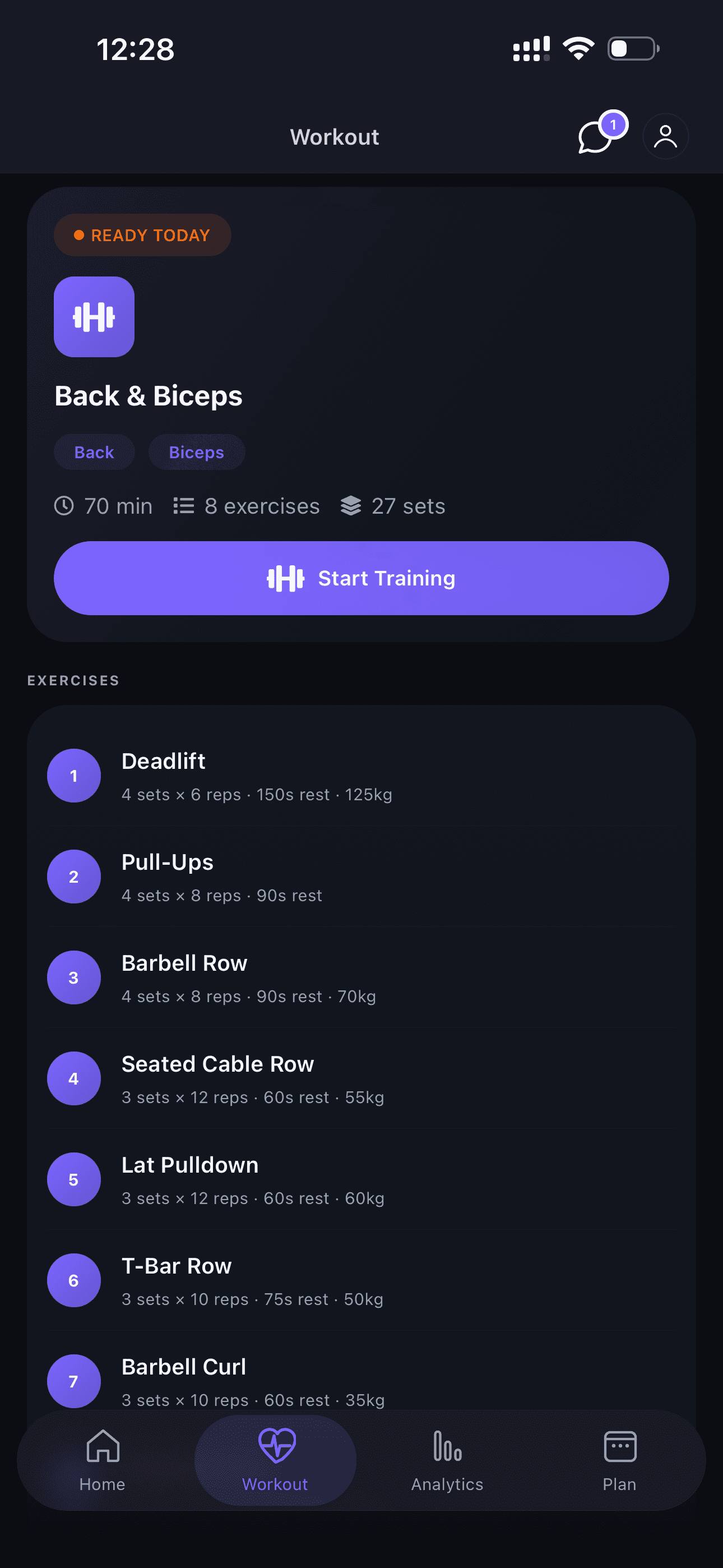
Start a Workout
When your trainer assigns a plan, you can start a workout from the home screen.
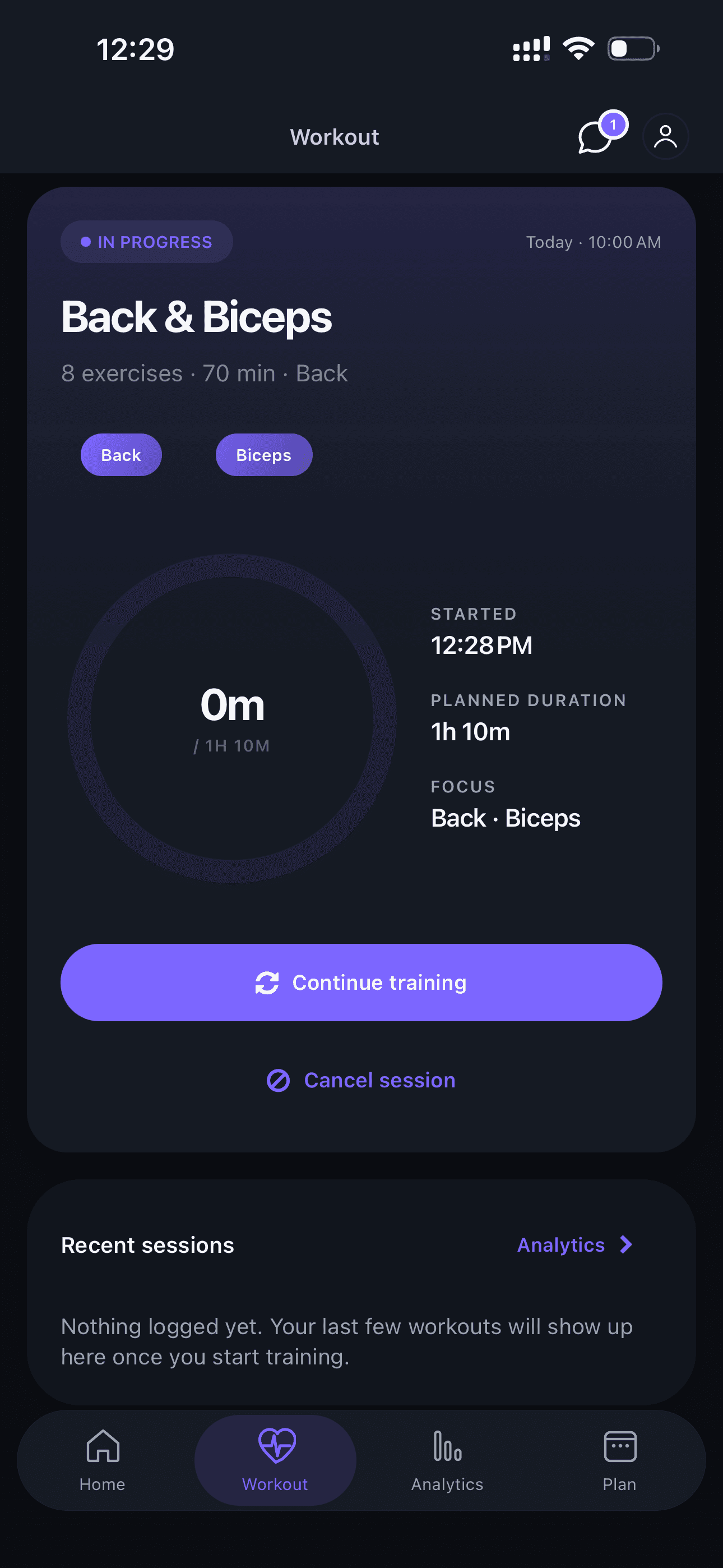
Continue a Workout
If you paused a workout, you can resume right where you left off.
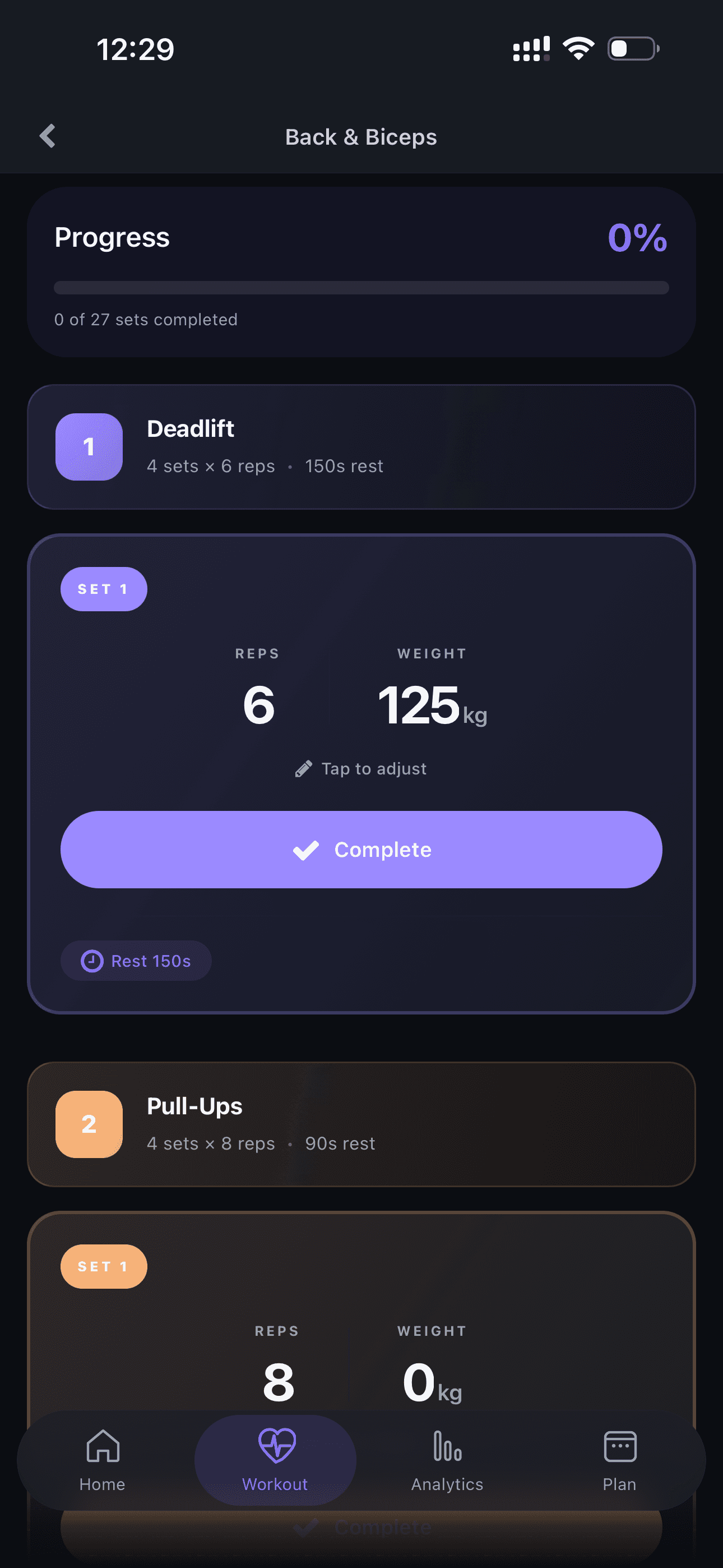
Workout Overview
See all exercises in your session with set and rep details.
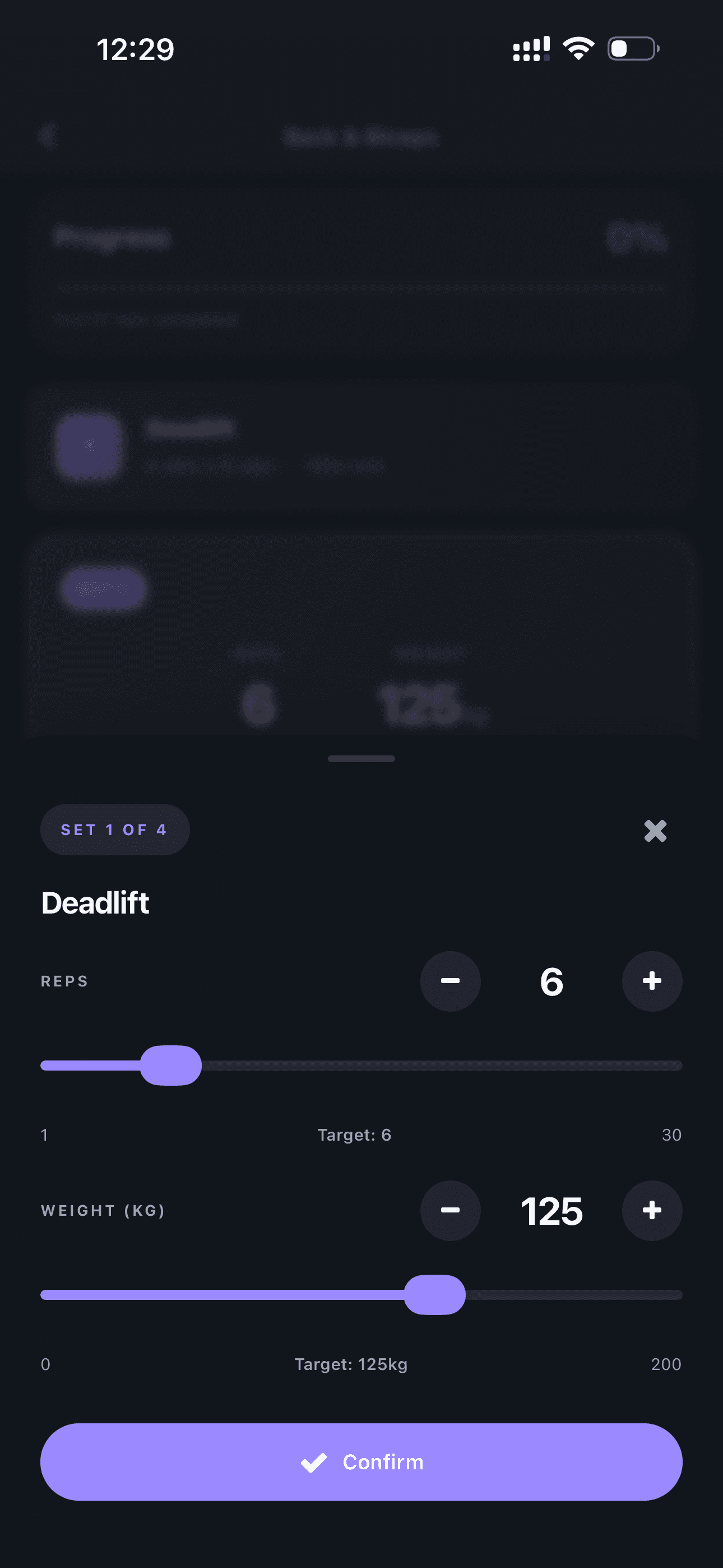
Adjust the Exercise
During the workout you can adjust weight and sets for each exercise.
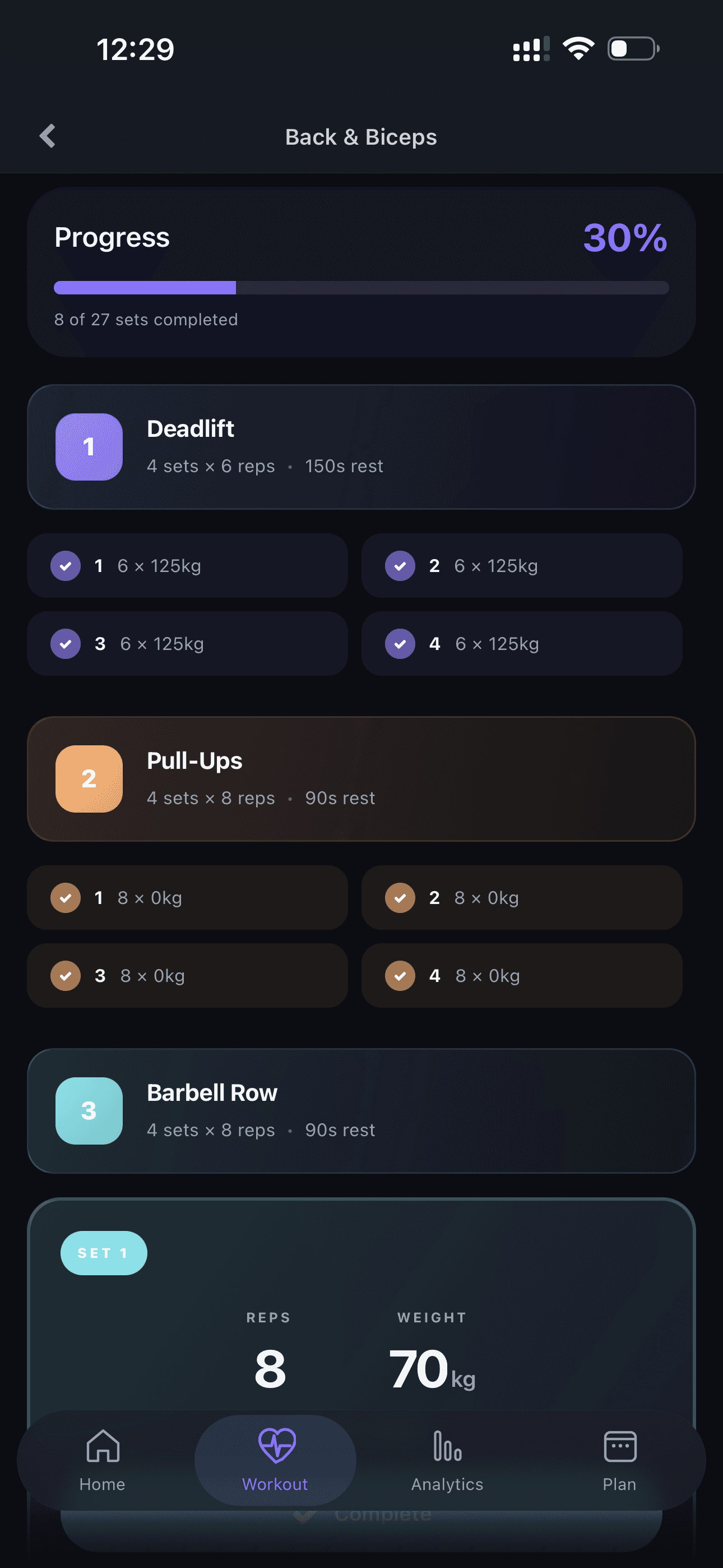
Complete Sets
Mark sets as completed as you progress through the workout.
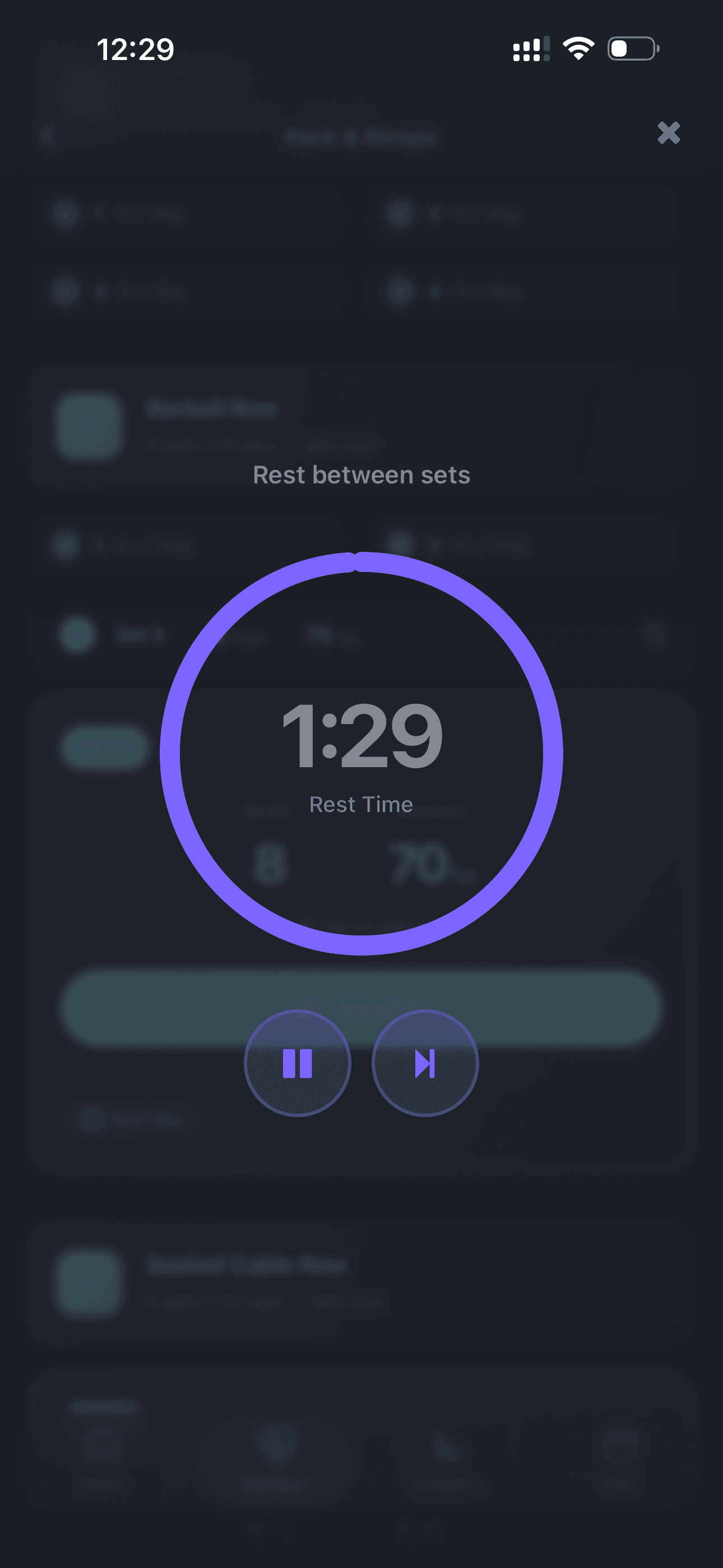
Rest Timer
Use the built-in timer for proper rest between sets.
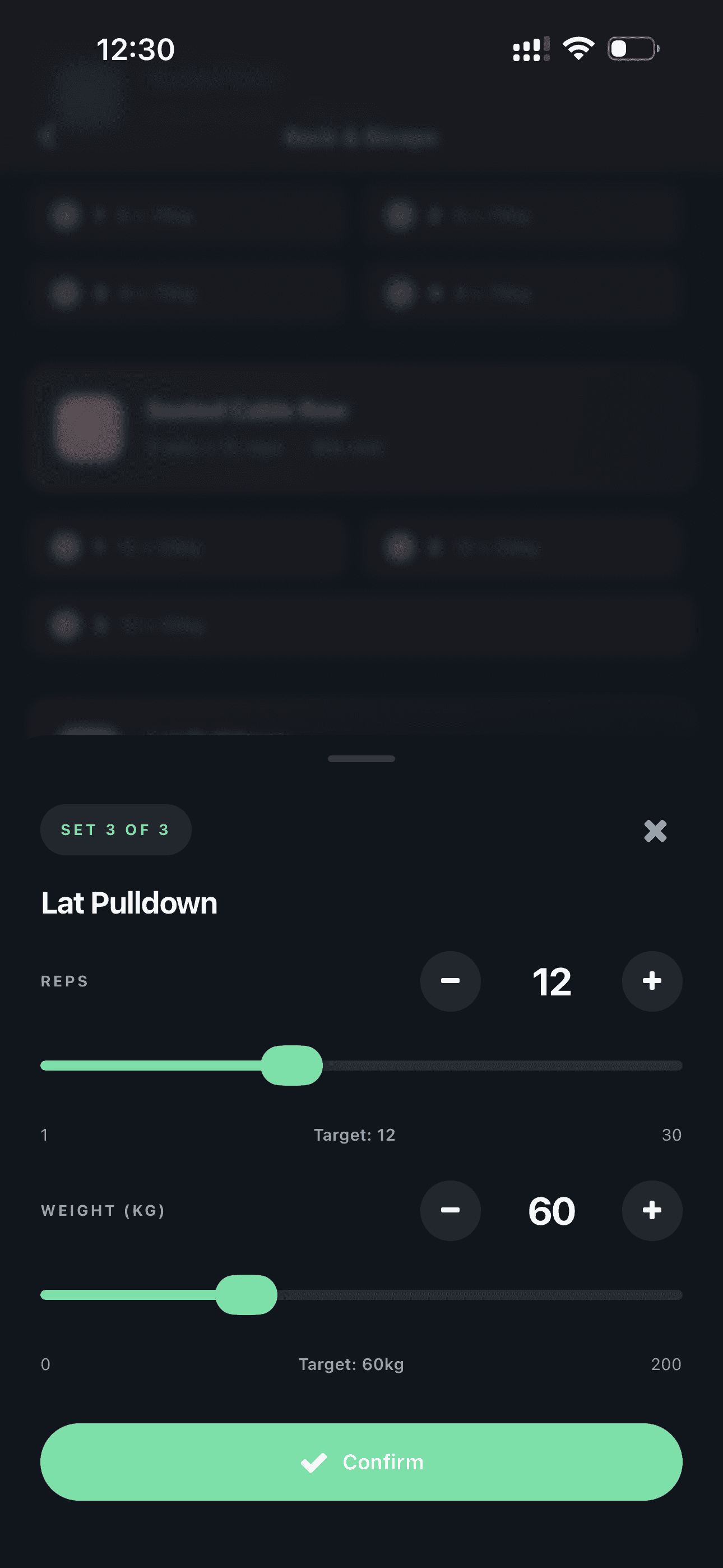
Adjust Reps
Flexibly adjust the number of reps for each set.
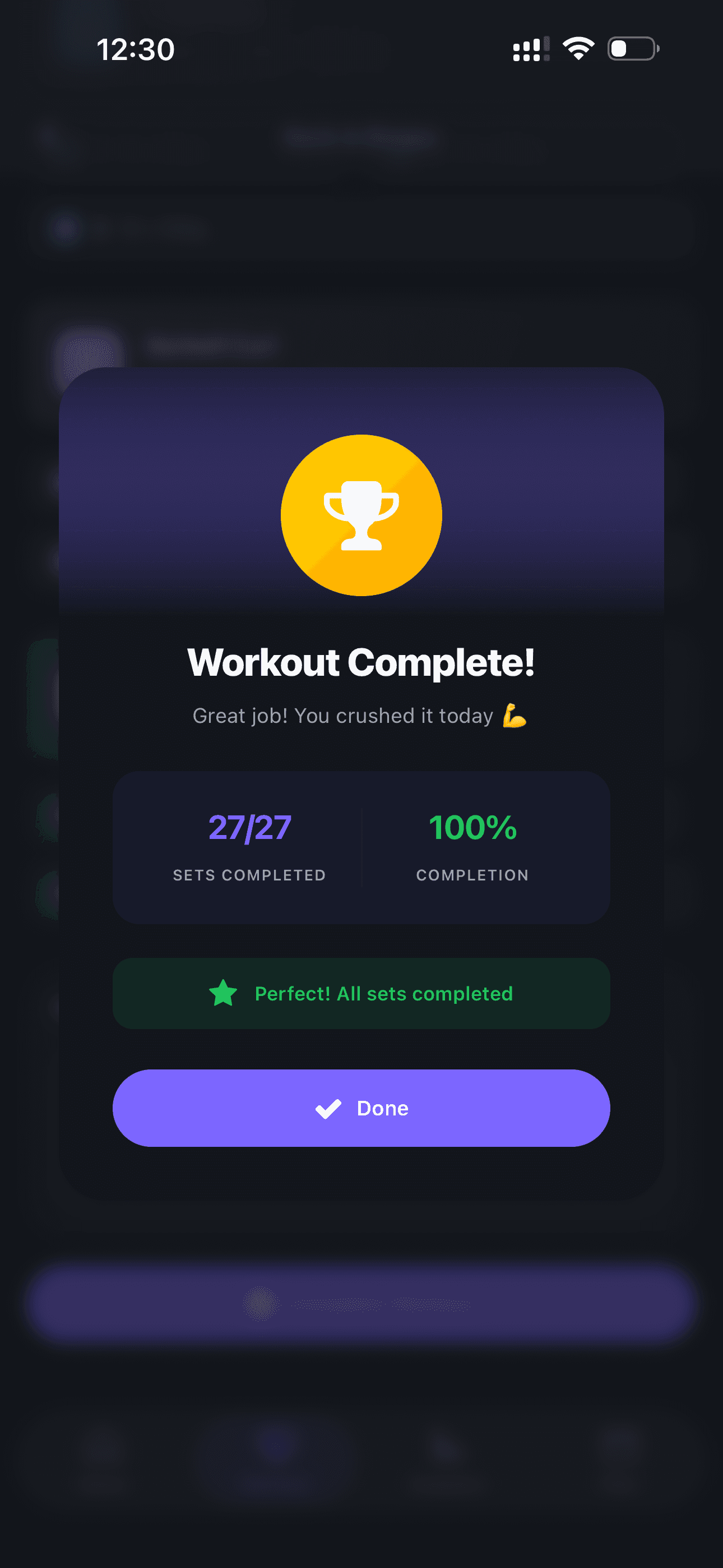
Workout Complete!
After finishing the workout, a congratulations modal appears with your stats.
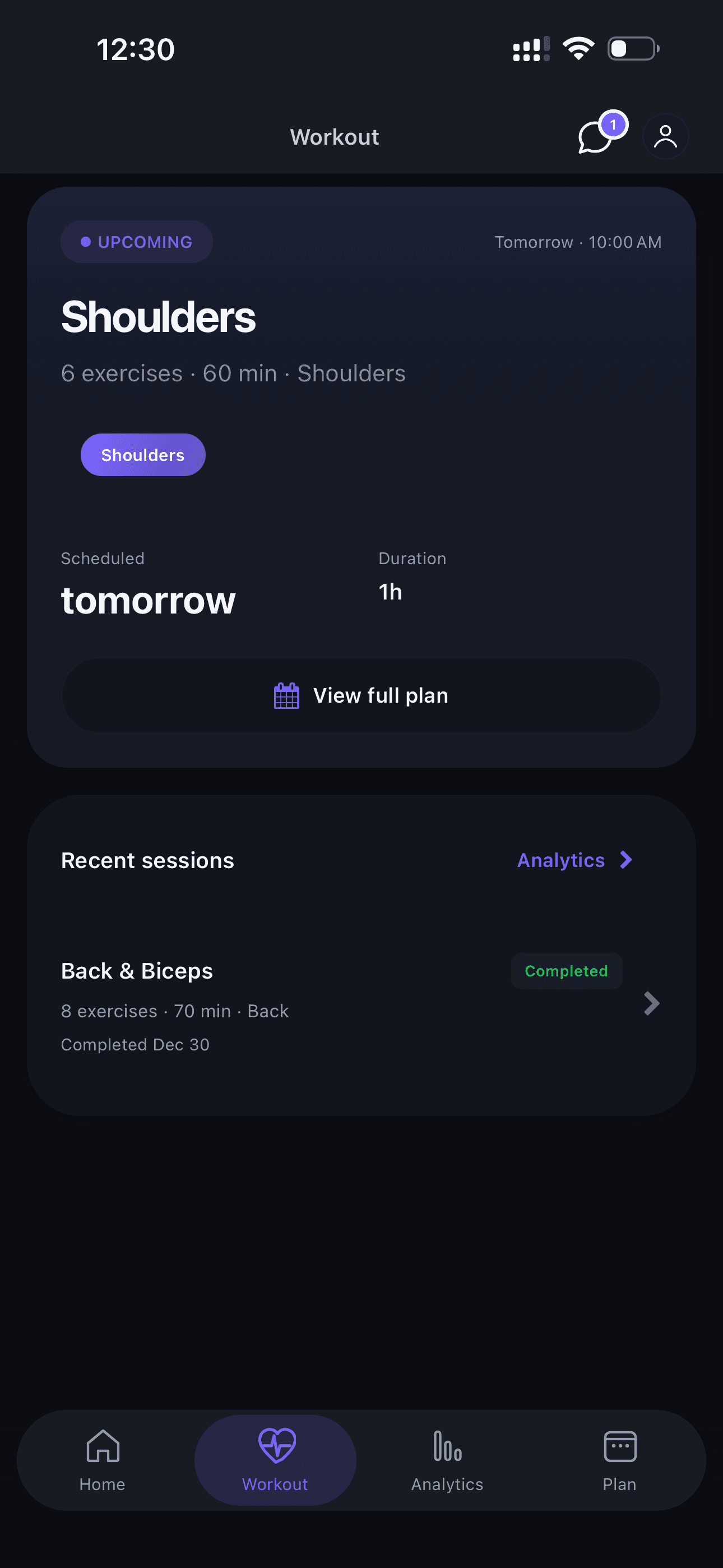
Next Workout
See your upcoming workout and prepare for the next session.
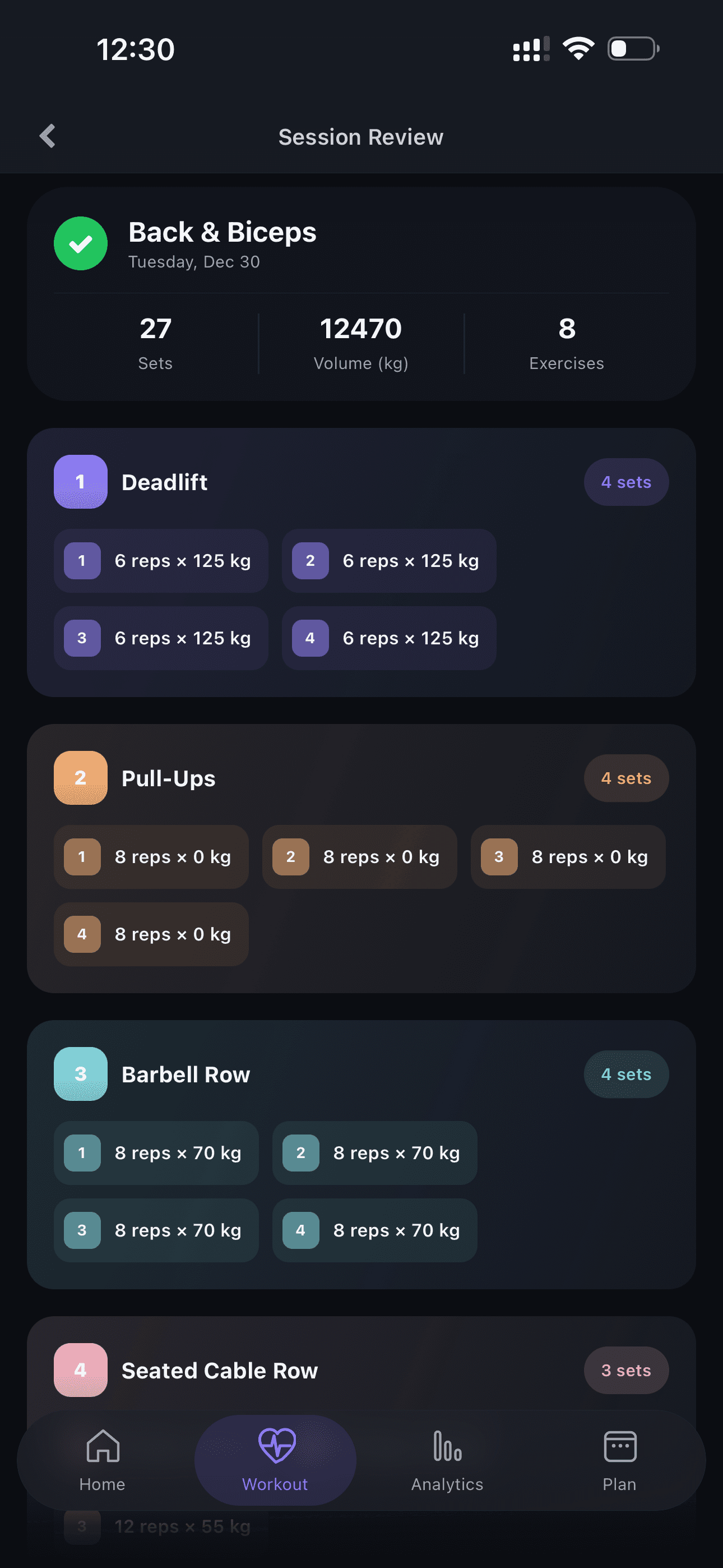
Workout History
Review all previous workouts and track your progress.
Analytics & Progress
Track your progress and personal records through detailed charts.
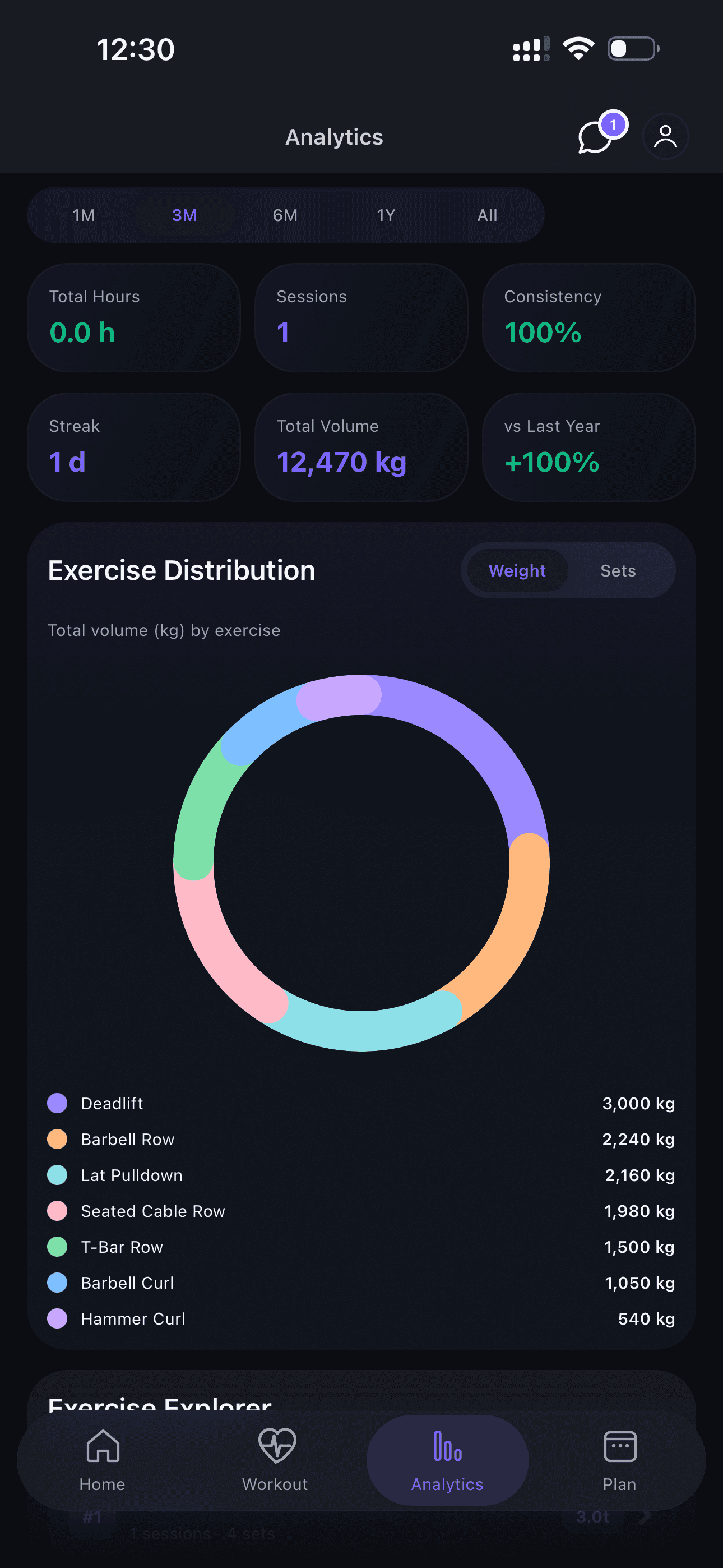
Analytics Overview
Access detailed charts and statistics of your progress.
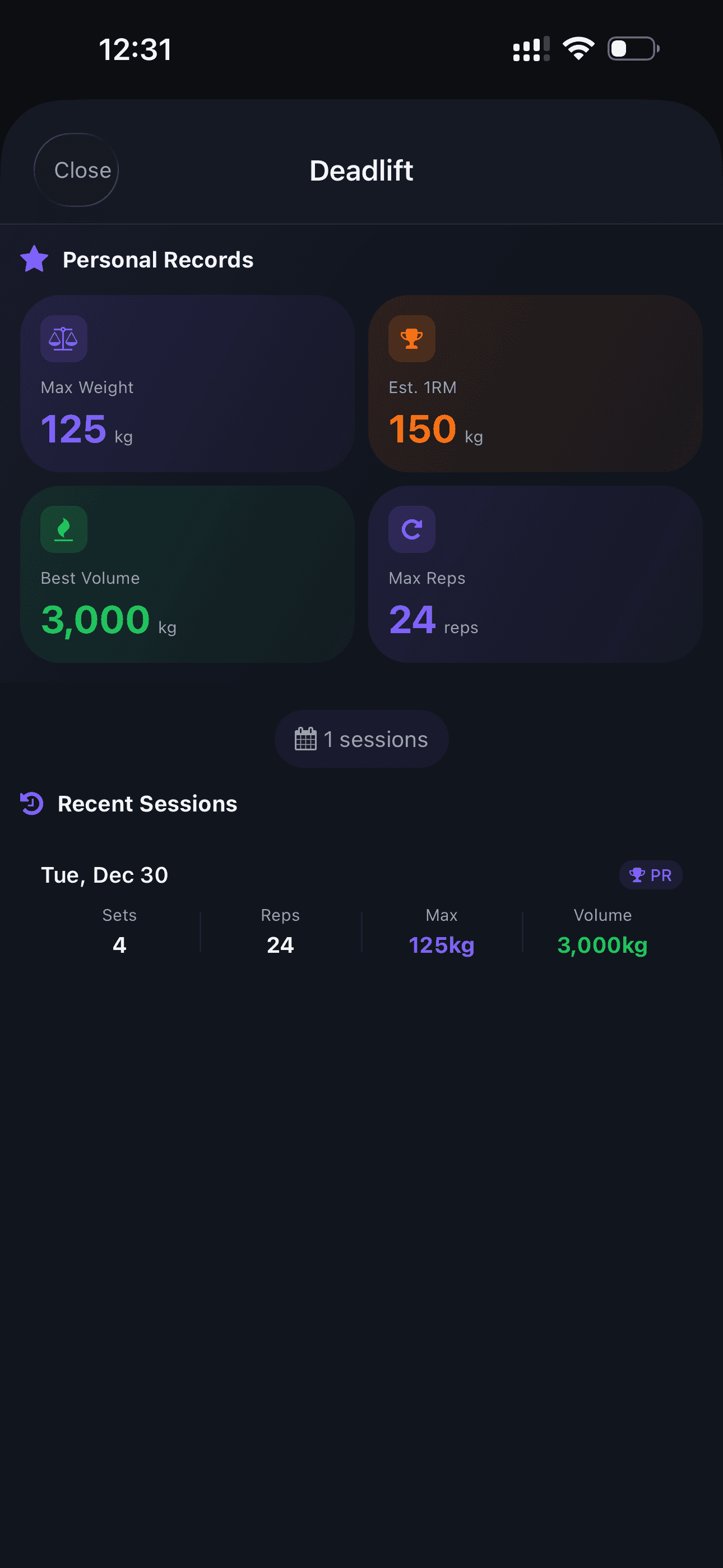
Exercise Analytics
View progress for each individual exercise — weights, PRs, and volume.
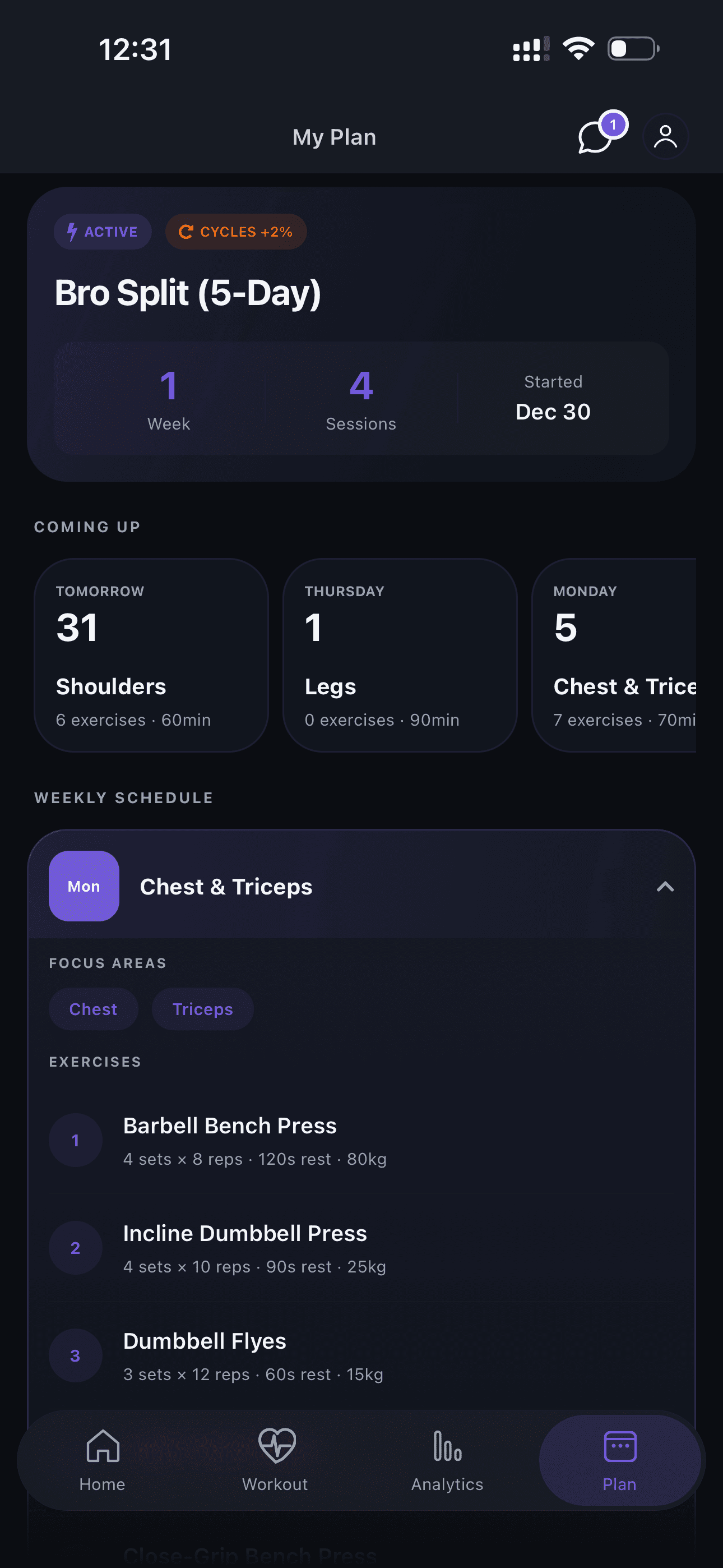
Active Plan
Review your current active training plan and all sessions.
Nutrition Tracking
Log meals and track nutritional values for optimal results.
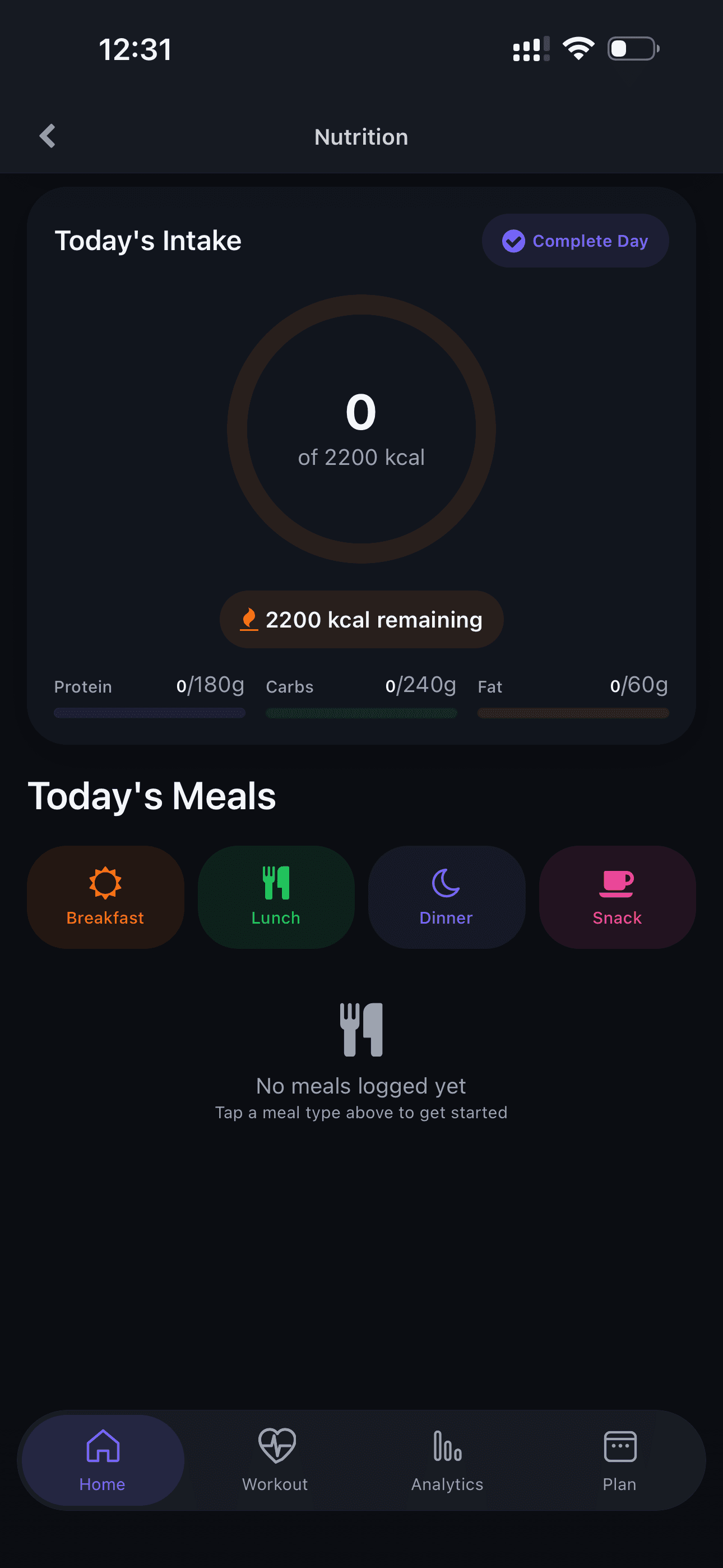
Nutrition Screen
Access the nutrition tracking screen and view your daily intake.
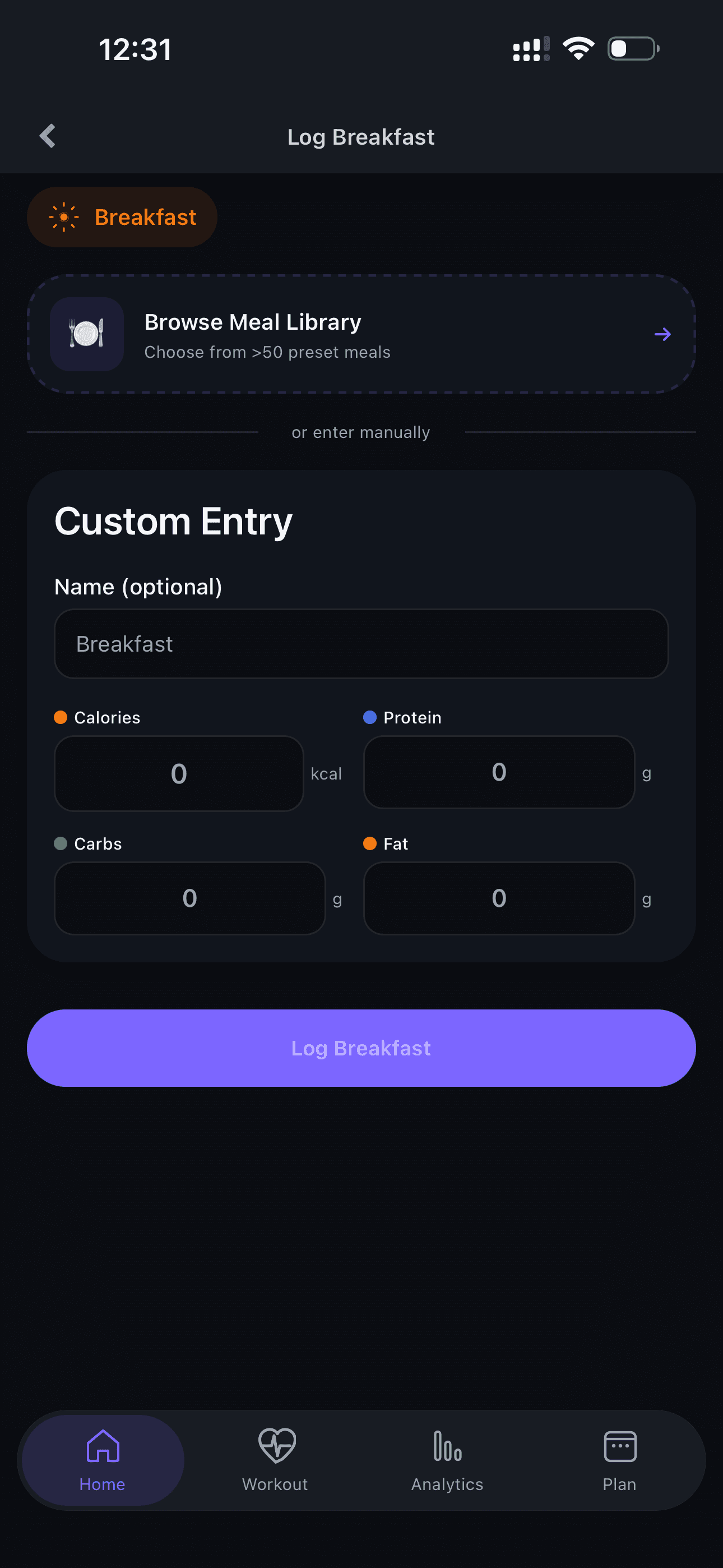
Log Meals
Add meals to track calories and macronutrients.
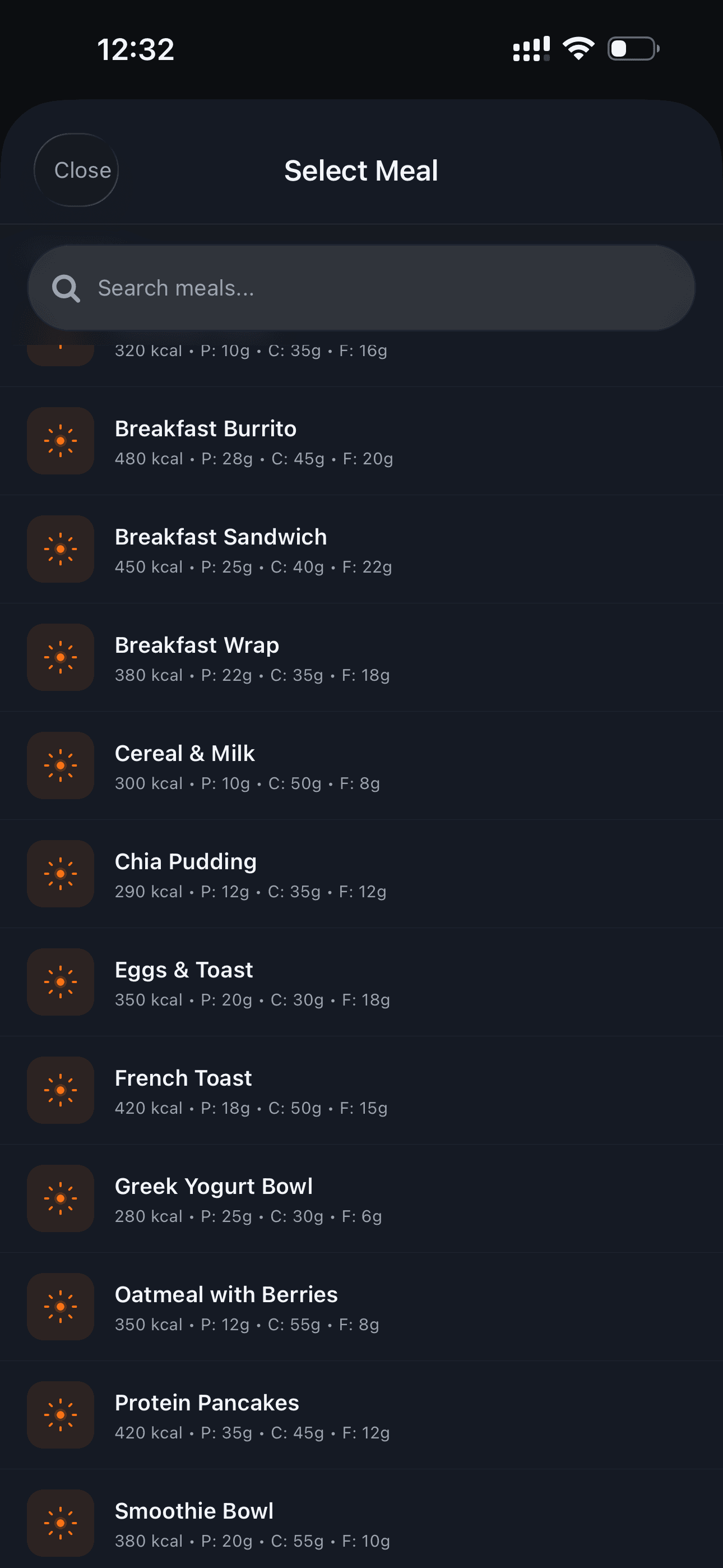
Add a Meal
Search the food database or add a custom meal.
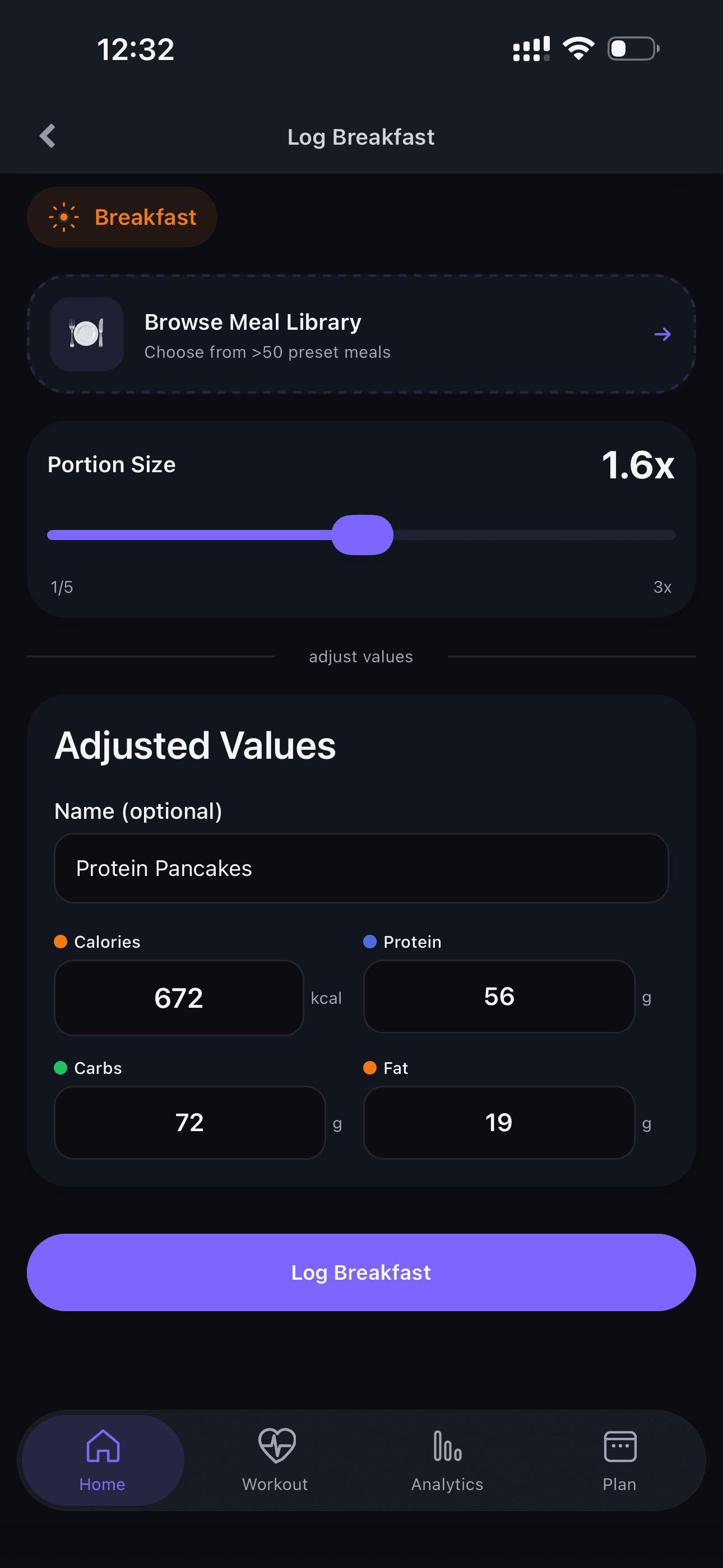
Adjust Portions
Adjust portion sizes — the app automatically calculates nutritional values.
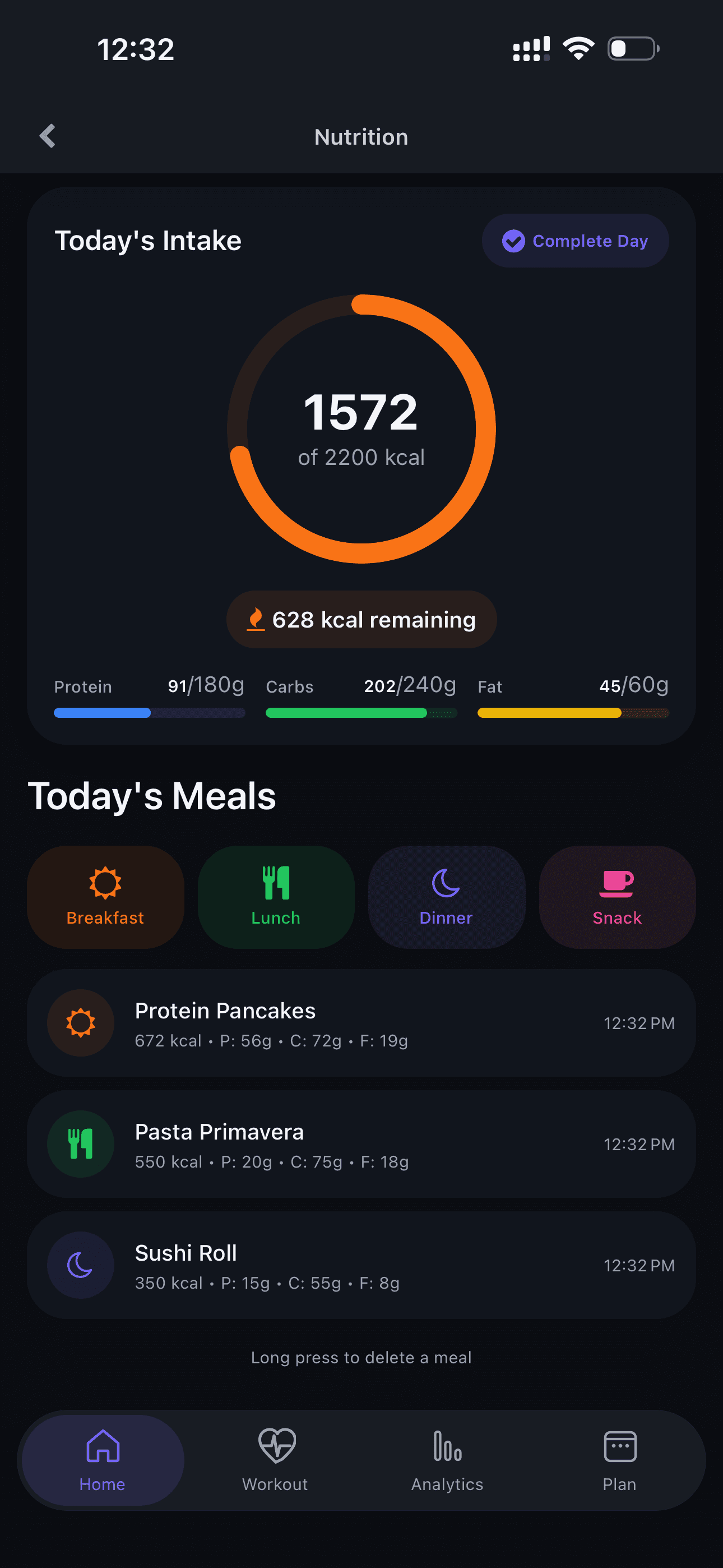
Complete Food Diary
Track all meals throughout the day and maintain healthy eating habits.
Have Questions?
Contact your trainer directly through the app, or reach out to us for technical support.