Elevate Your
Coaching Business
A professional mobile app for managing clients, tracking progress, planning workouts and nutrition — all in one place.
Everything You Need
A complete platform for professional trainers who want to take their business to the next level.
Professional Mobile App
Your personalized coaching app. Look more professional and attract more clients.
Easy Client Management
All client information in one place. Track progress, plans, and communication.
Detailed Analytics
Track steps, calories, exercise PRs, and all relevant data for each client.
Smart Planning
Create blueprints and assign them to clients. Customize timing and exercises for each individual.
Goal Tracking
Set goals and track client progress in real time.
Achievements & Motivation
Gamified training. Clients earn badges and stay motivated.
What Do You Get With the Orion App?
Track progress for all your clients in one place
All workouts and clients at a glance
Set and track goals for each client
Create and Assign a Blueprint
Learn how to create a workout plan (blueprint) and assign it to your client in just 18 simple steps.
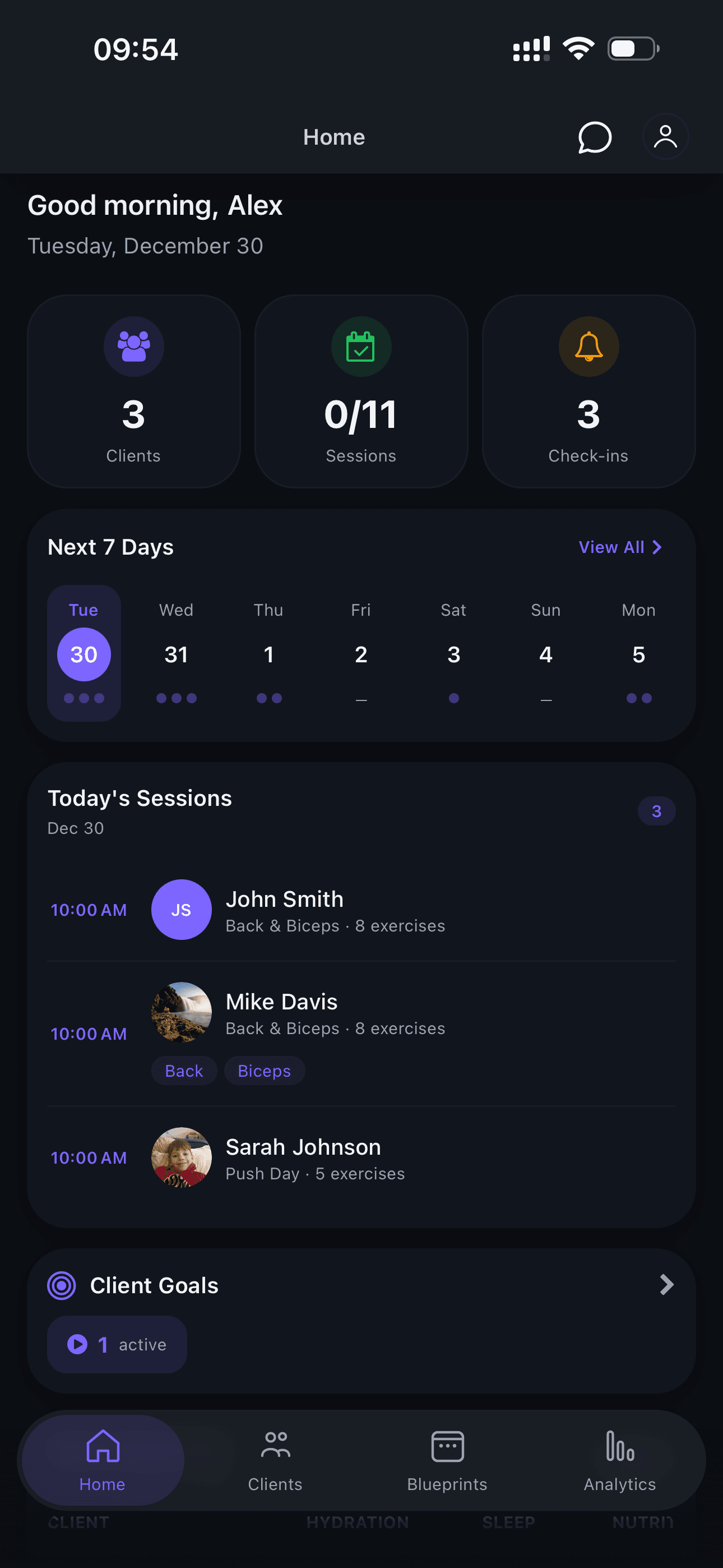
Open the Home Screen
Start by opening the app. On the home screen you'll see an overview of your clients and calendar.
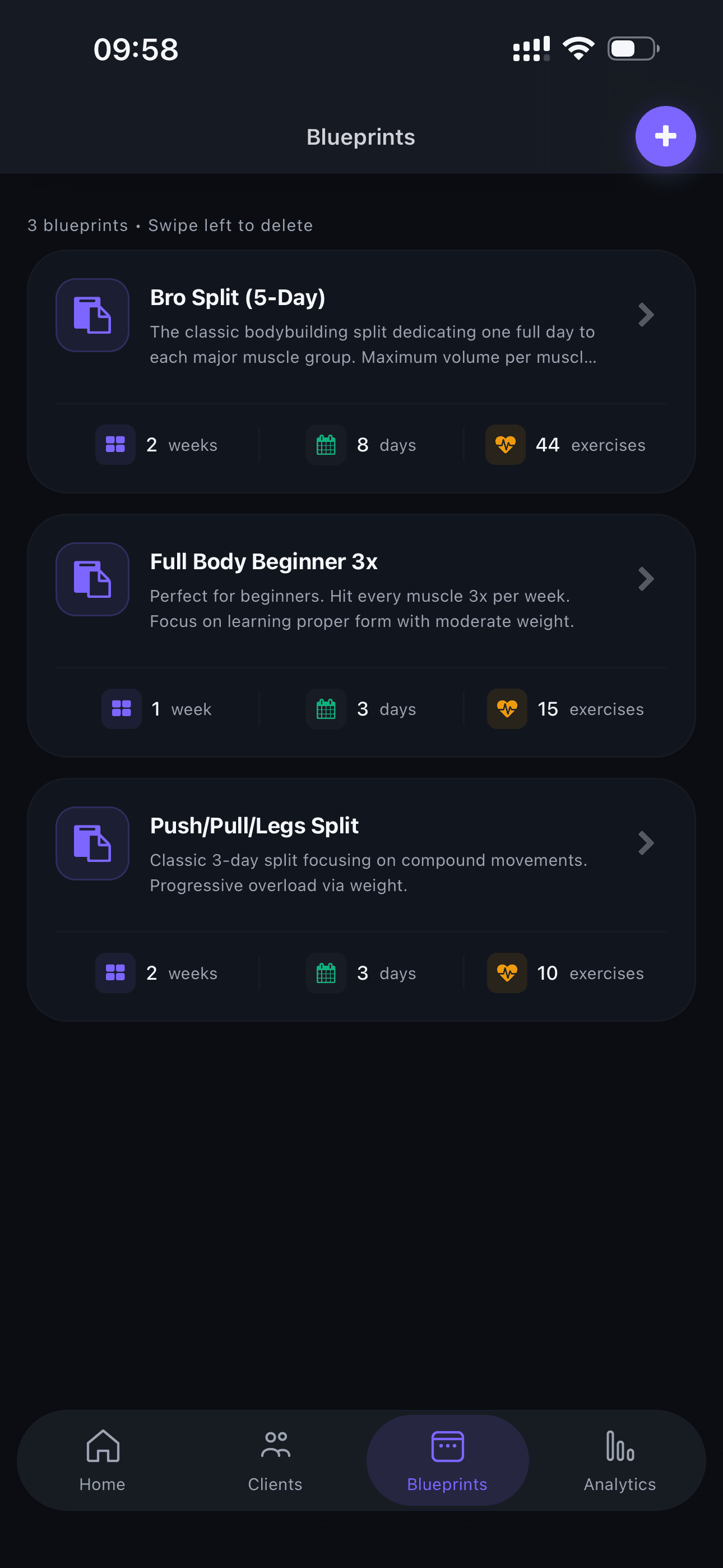
Navigate to Blueprints
Navigate to the blueprints section in the menu.
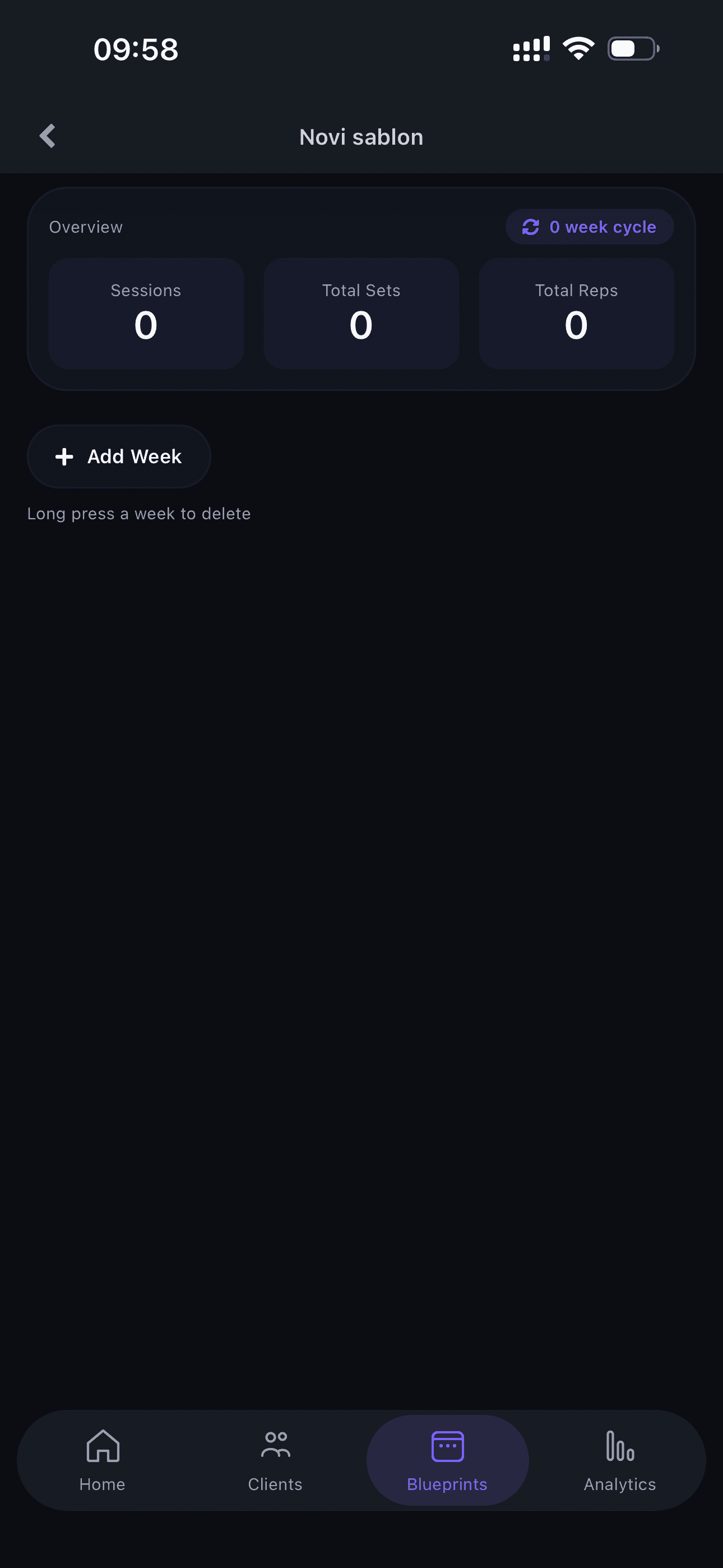
Create a New Blueprint
Click 'Create new blueprint' to start building your first training plan.
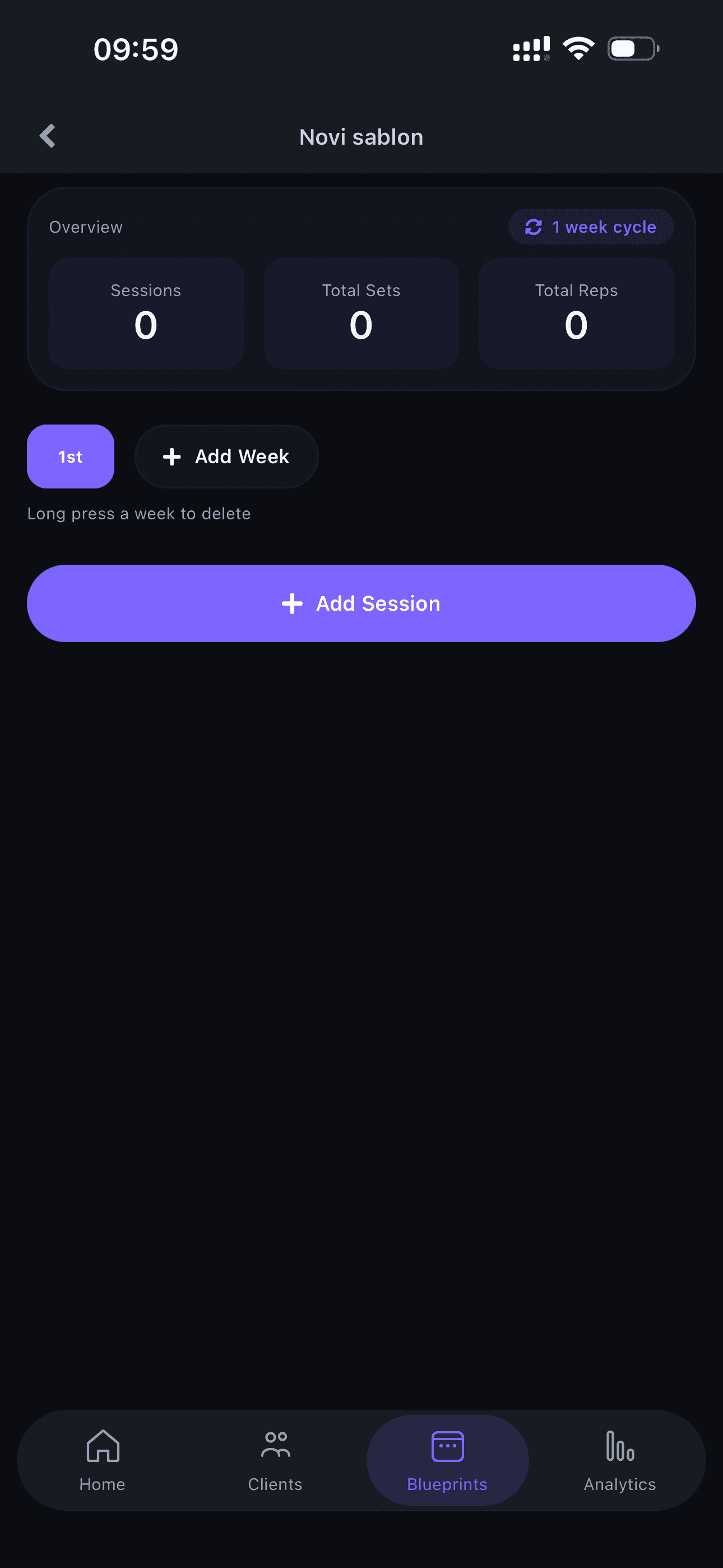
Add a Week and Get Started
Add the first week and start working on your blueprint.
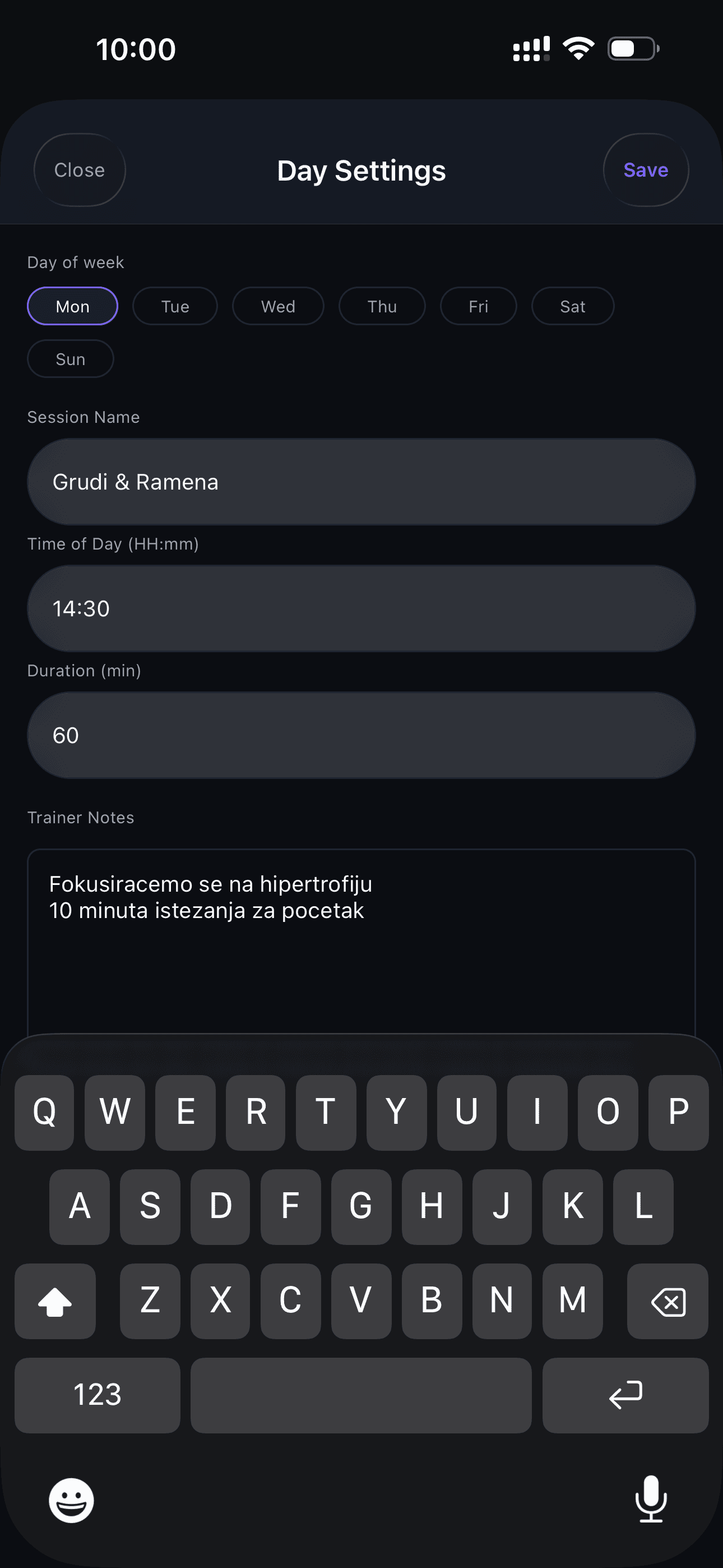
Add the First Session
Create the first training session within the week.
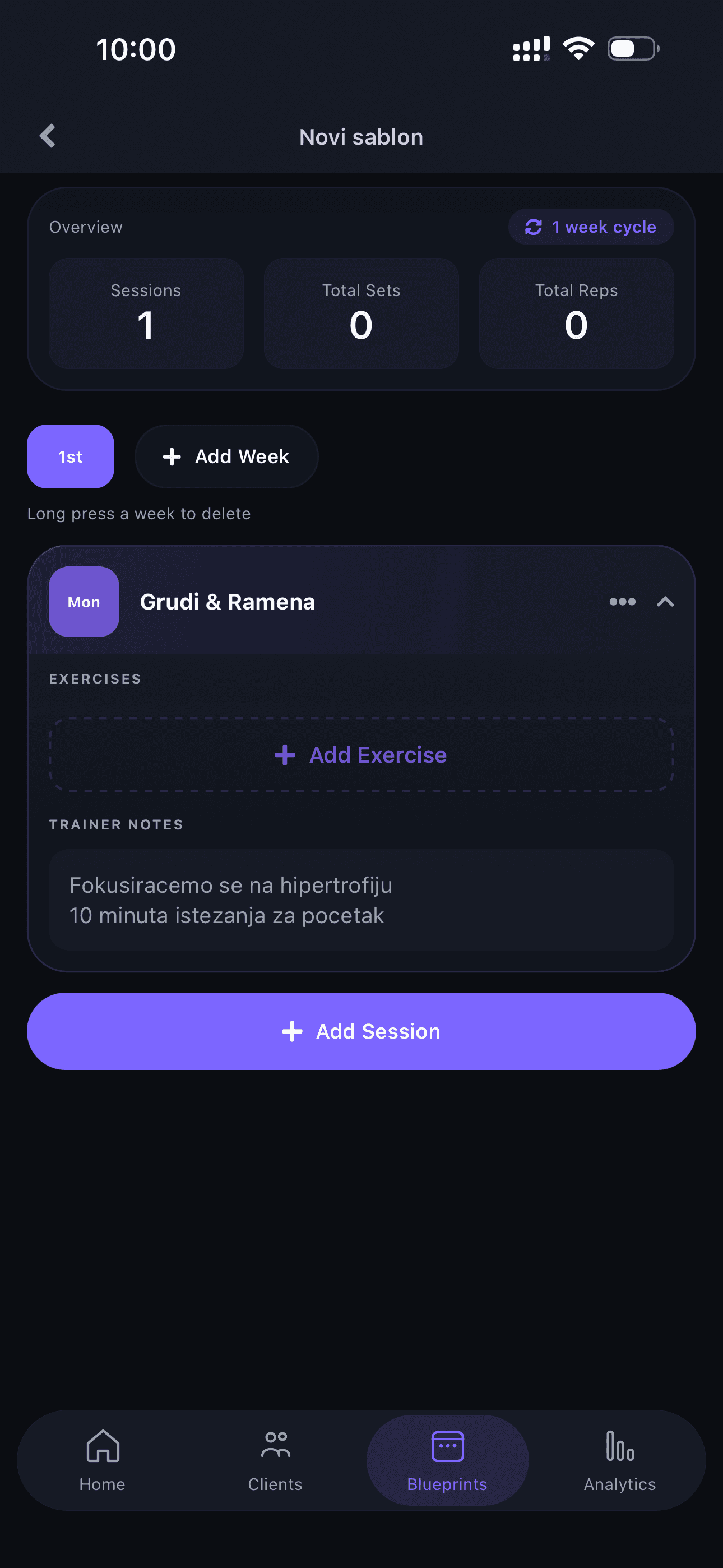
Session Overview
View the session overview and start adding exercises.
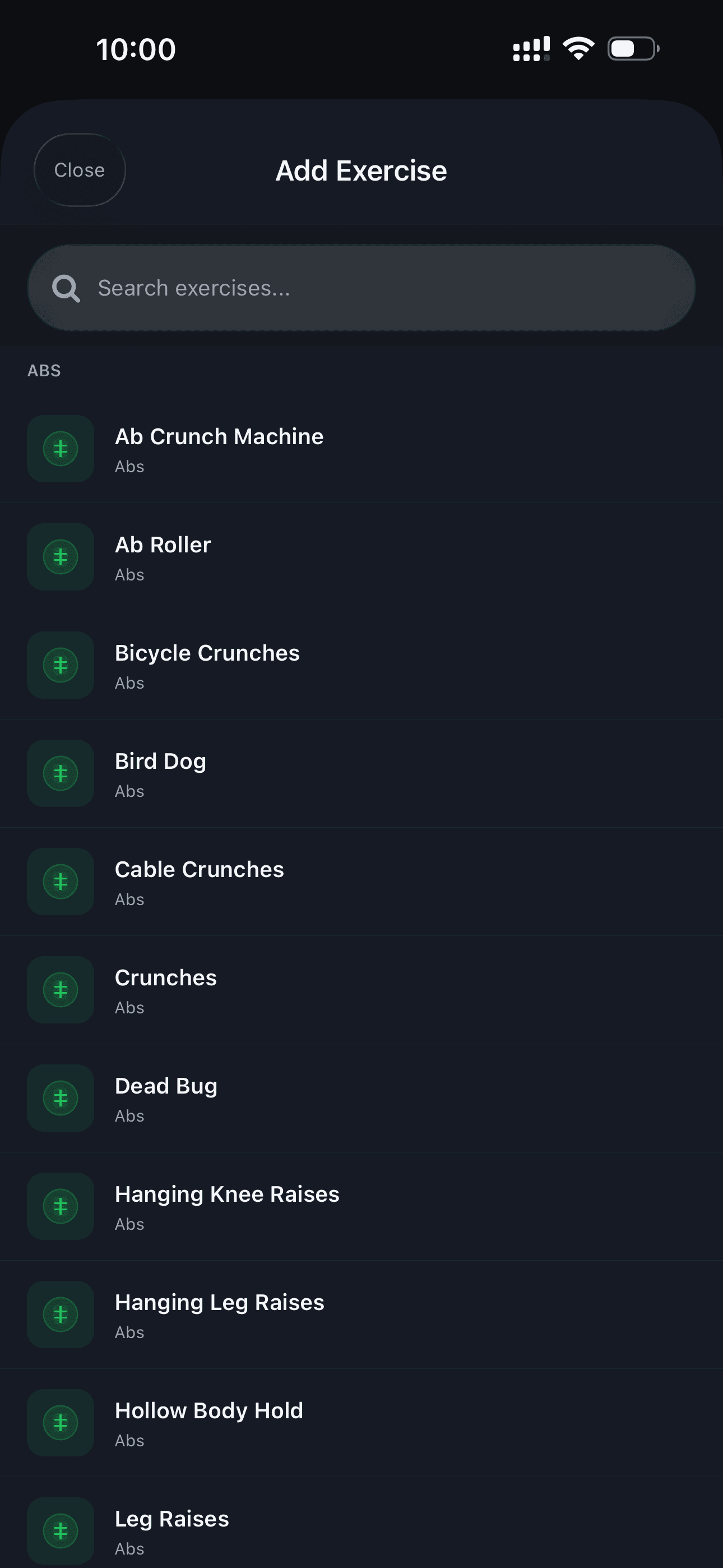
Select an Exercise
Search and select your first exercise from the library.
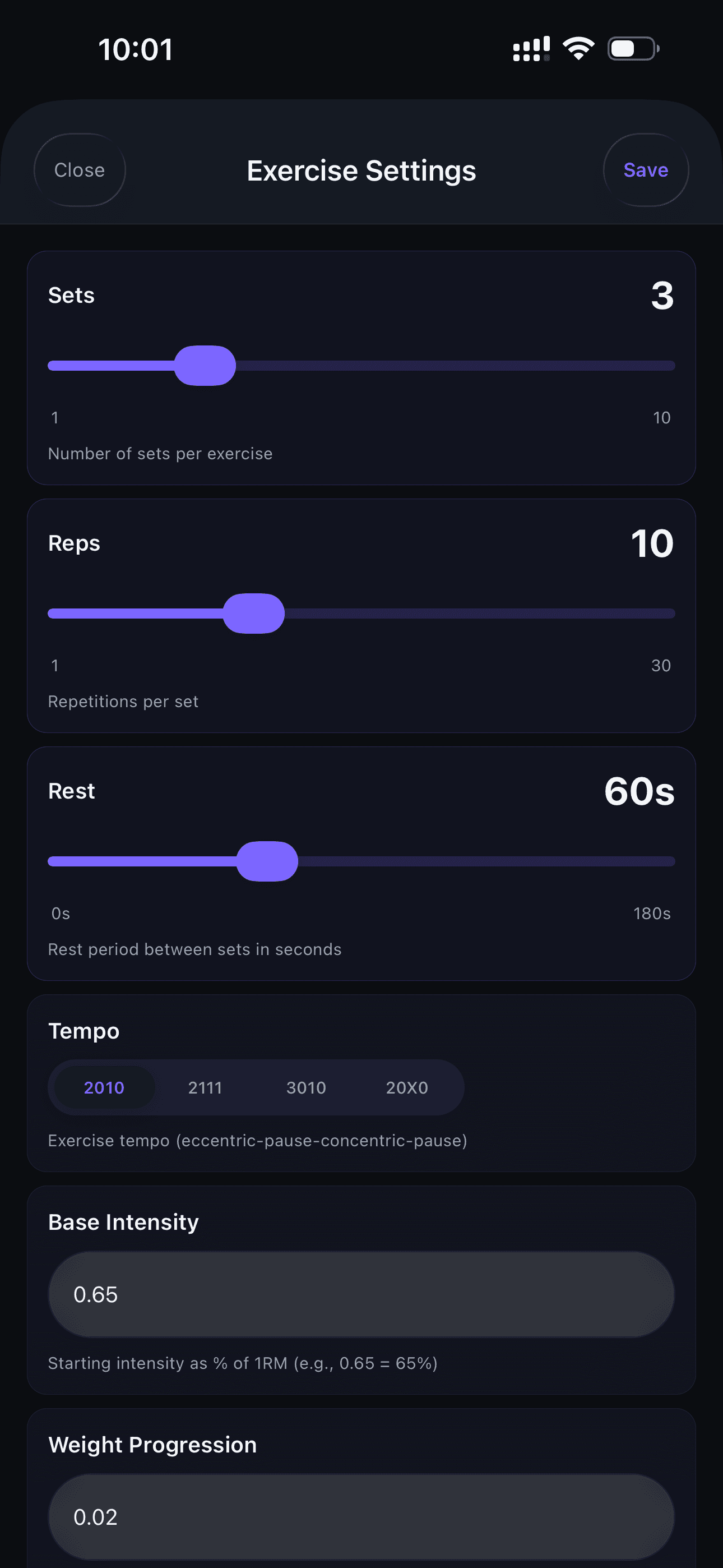
Adjust the Exercise
Set the number of sets, reps, and other exercise parameters.
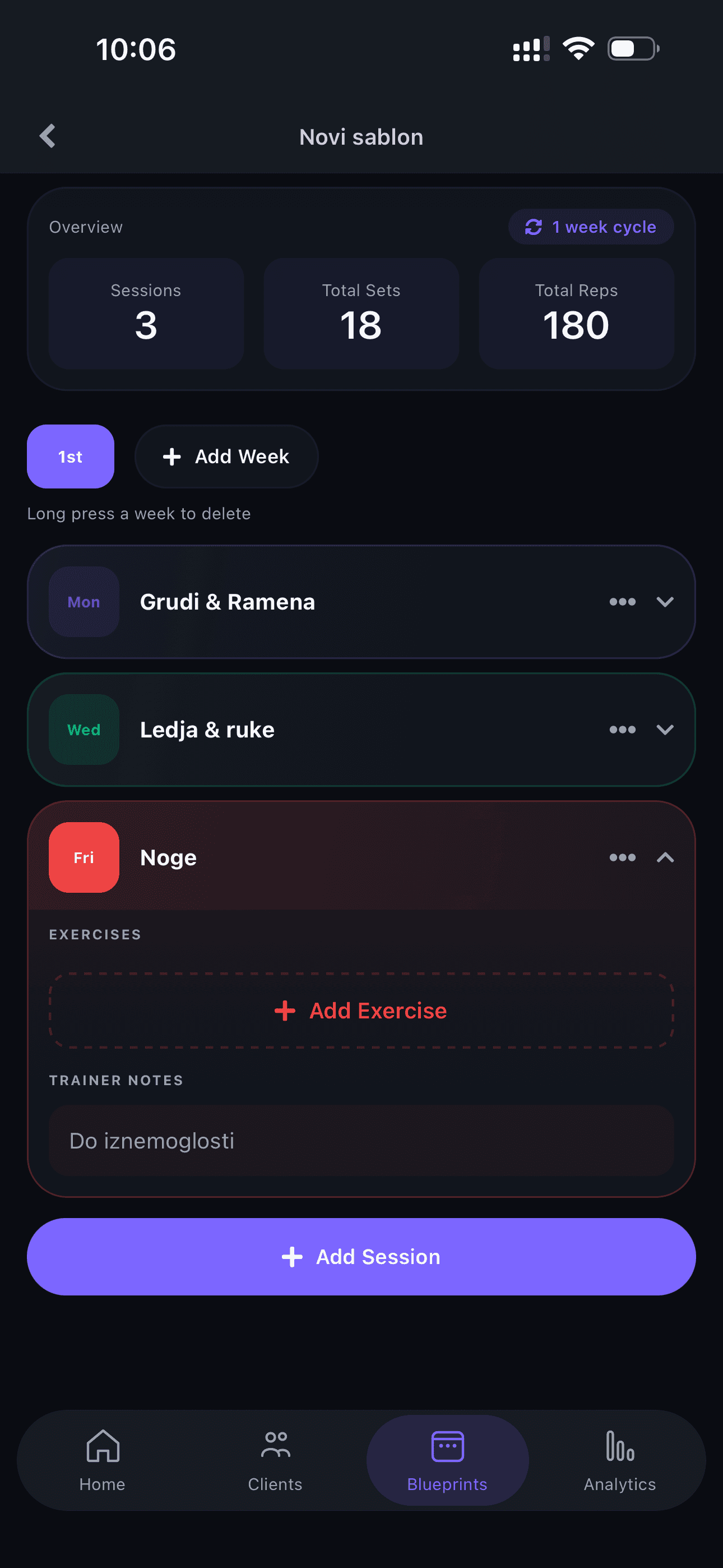
Add More Sessions
Repeat the process of adding sessions and exercises to complete the blueprint.
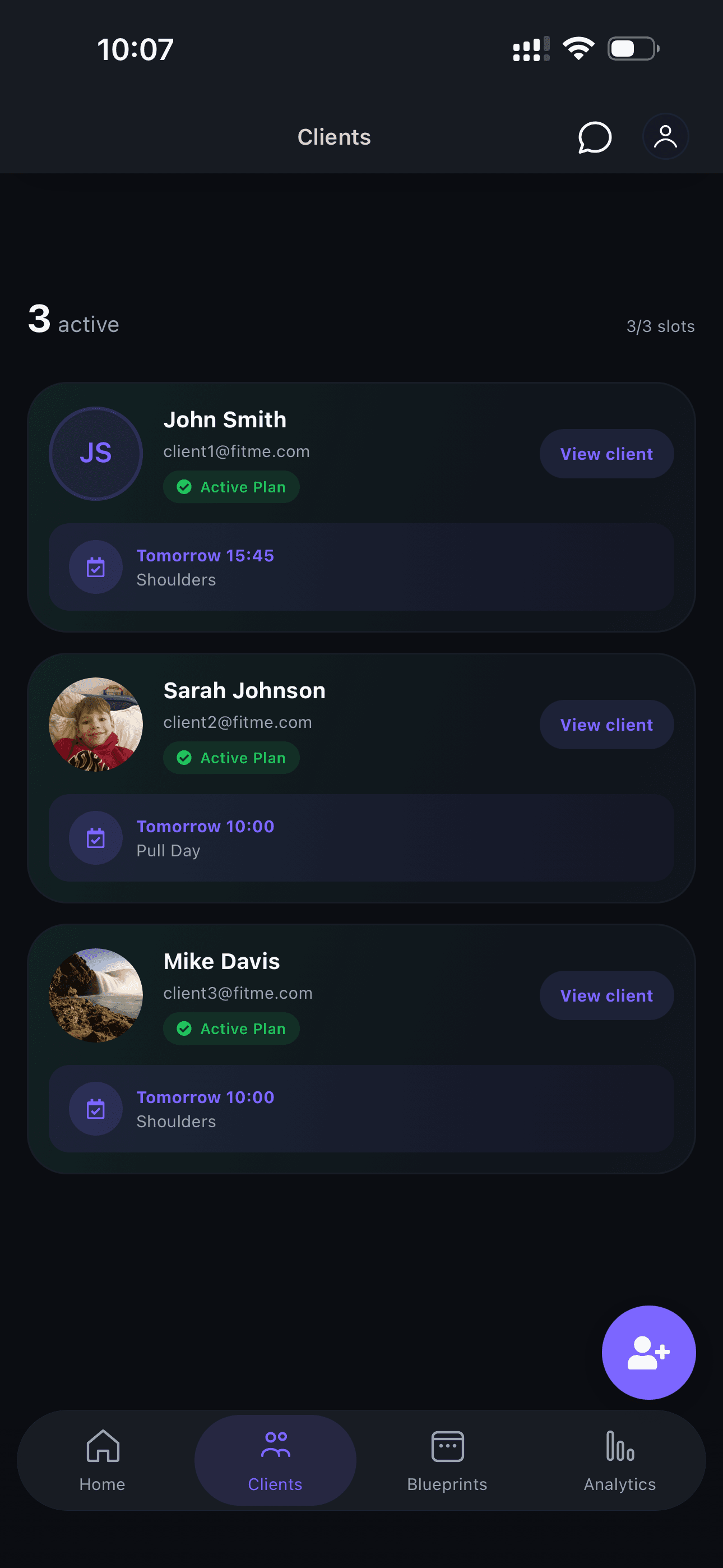
Select a Client
Go back to the client list and select the client you want to assign the blueprint to.
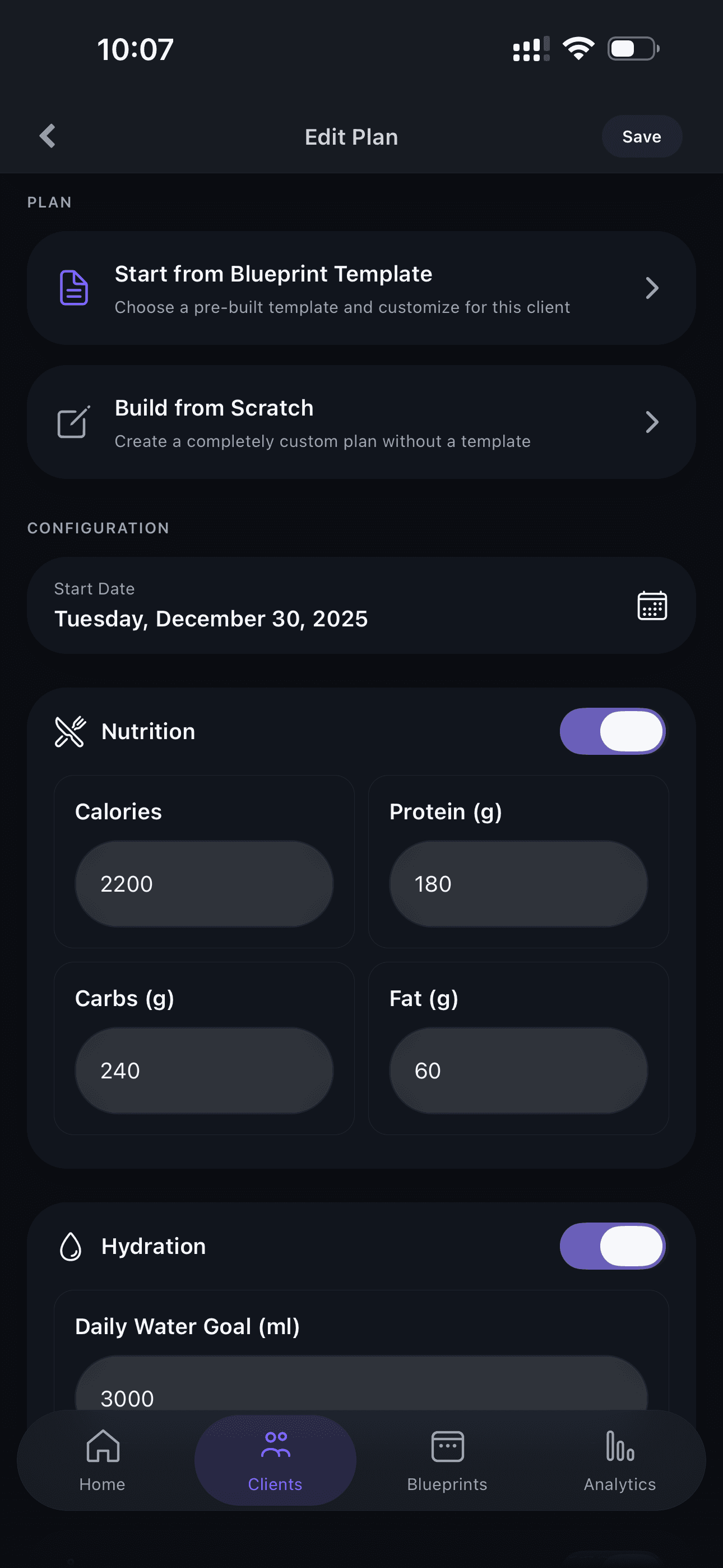
Assign the Plan
Click the option to assign a new plan to the client.
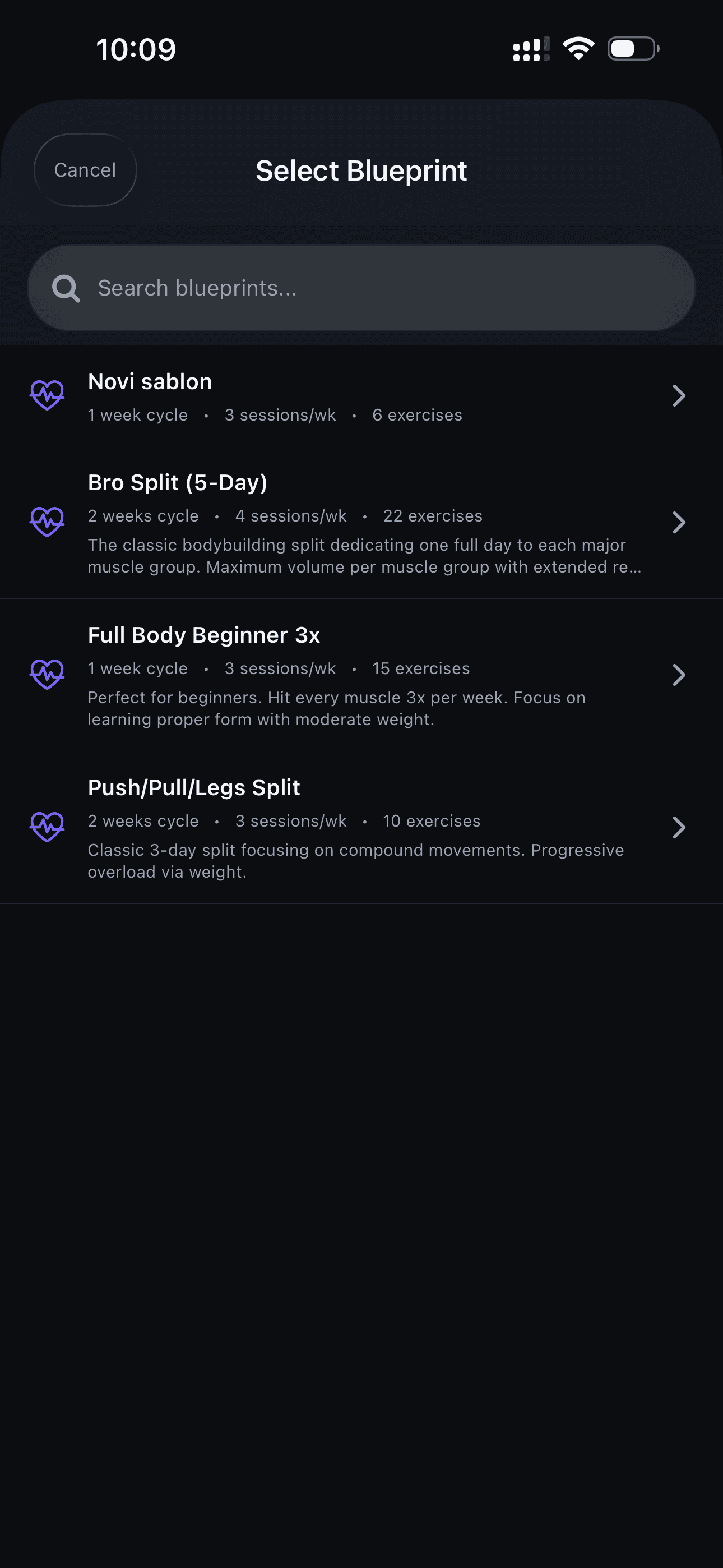
Choose the Blueprint
Select the blueprint you just created.
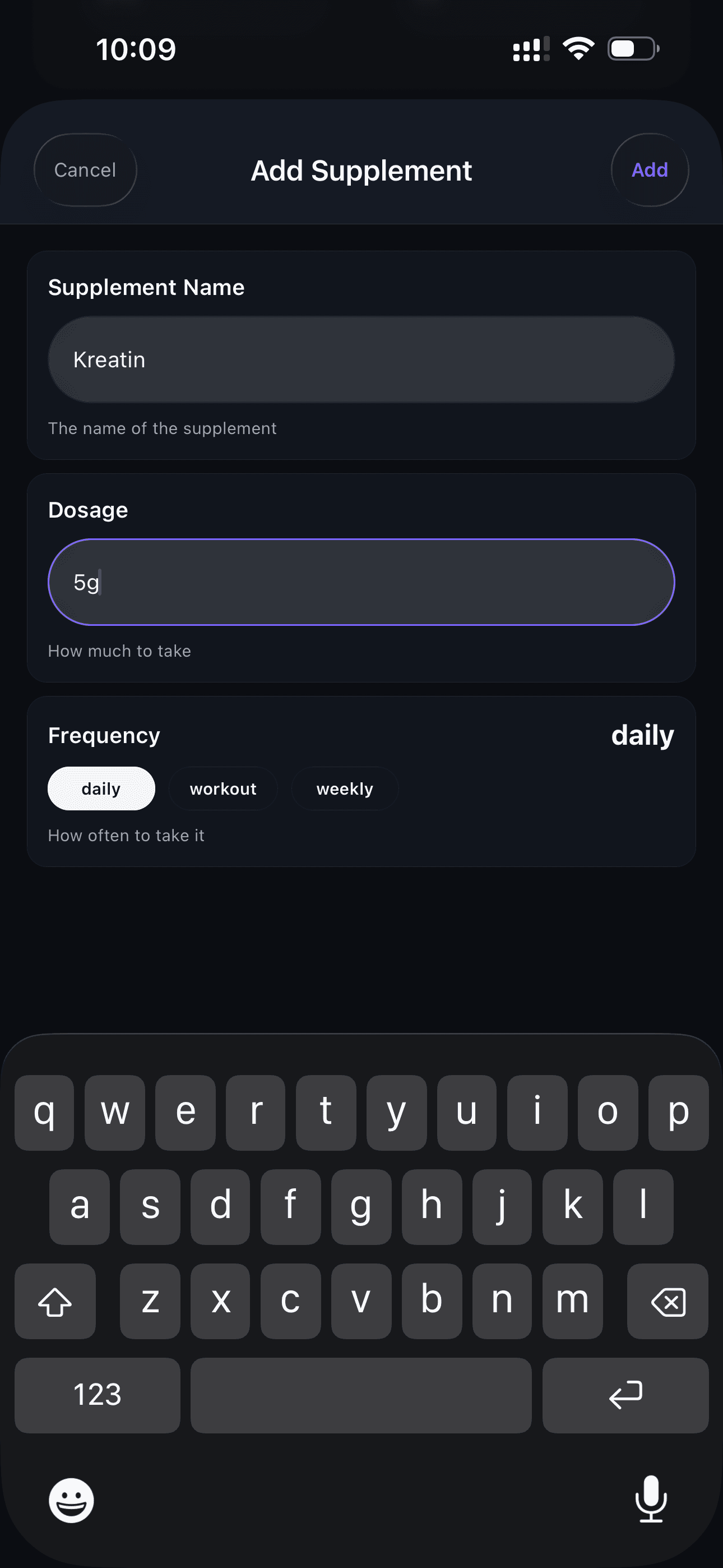
Add Supplements
Optionally add recommended supplements for the client.
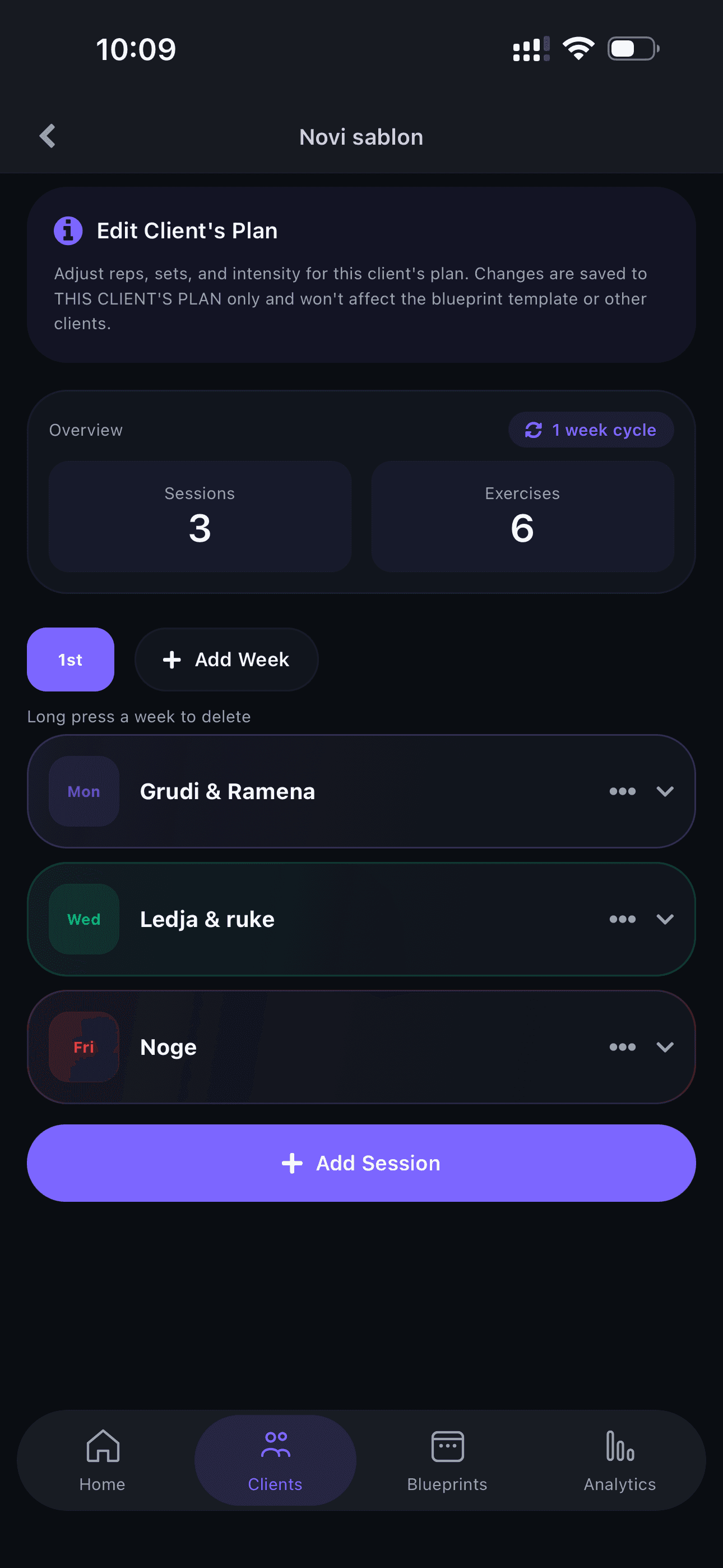
Plan Overview
Review the complete plan after assigning it to the client.
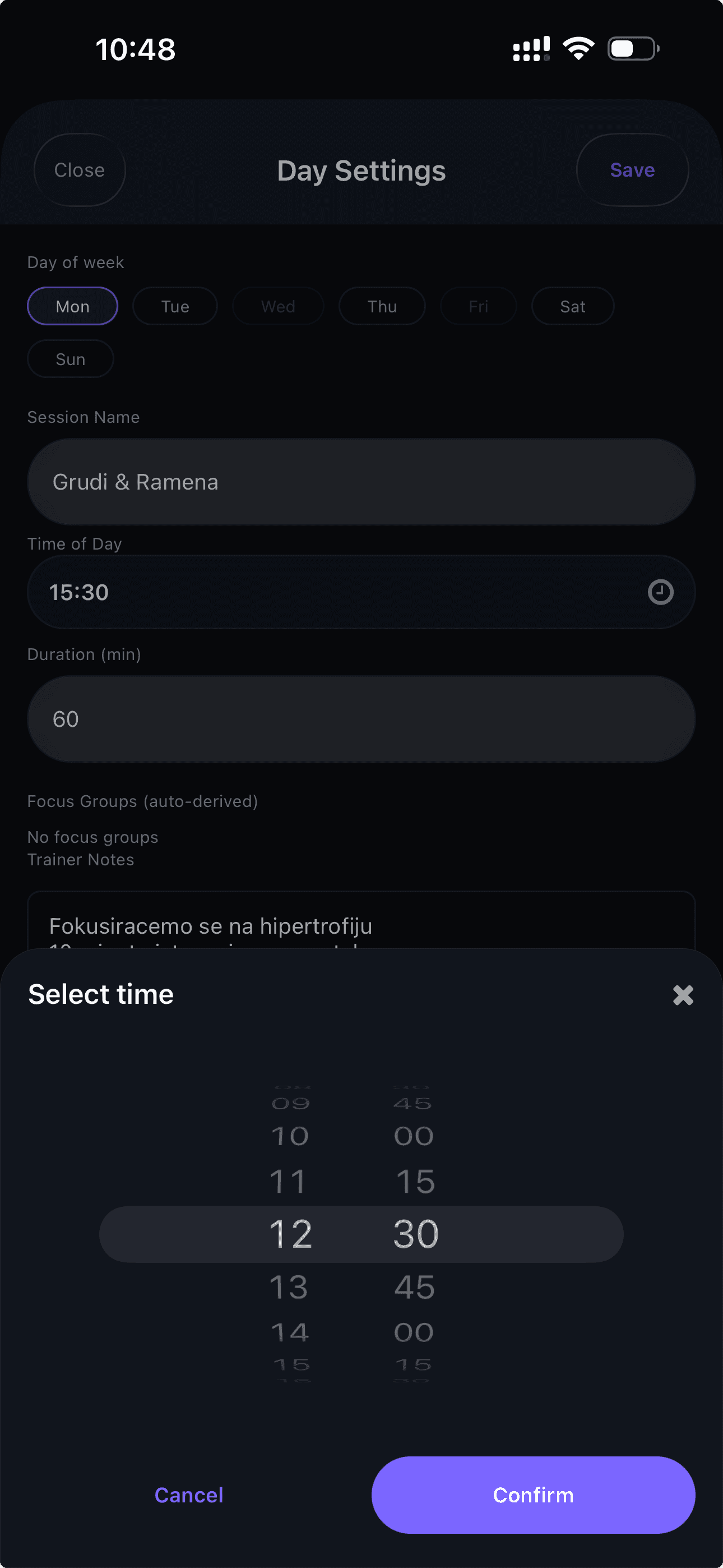
Adjust the Schedule
Customize the training schedule for this specific client. The blueprint is just a starting point!
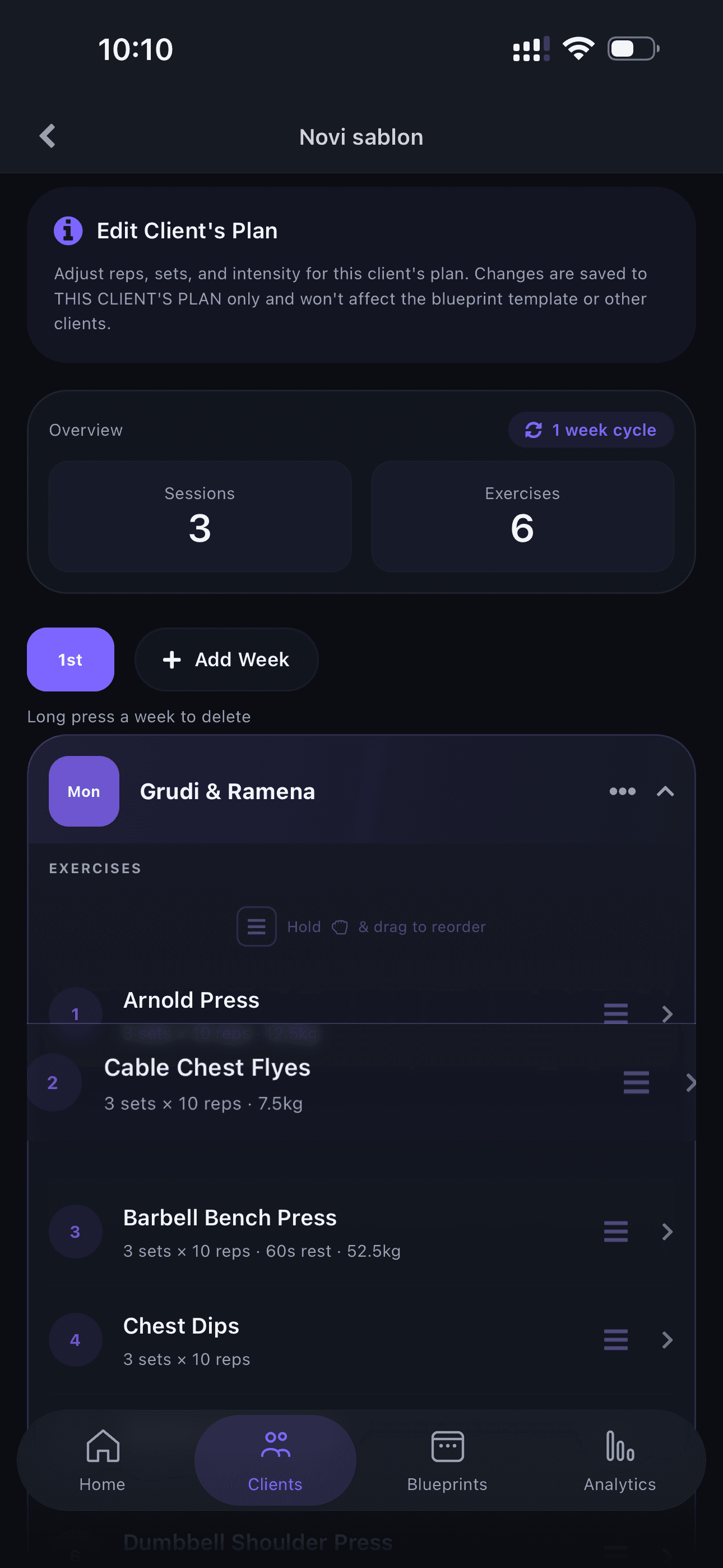
Reorder Exercises
Drag and drop to reorder exercises and personalize the session.
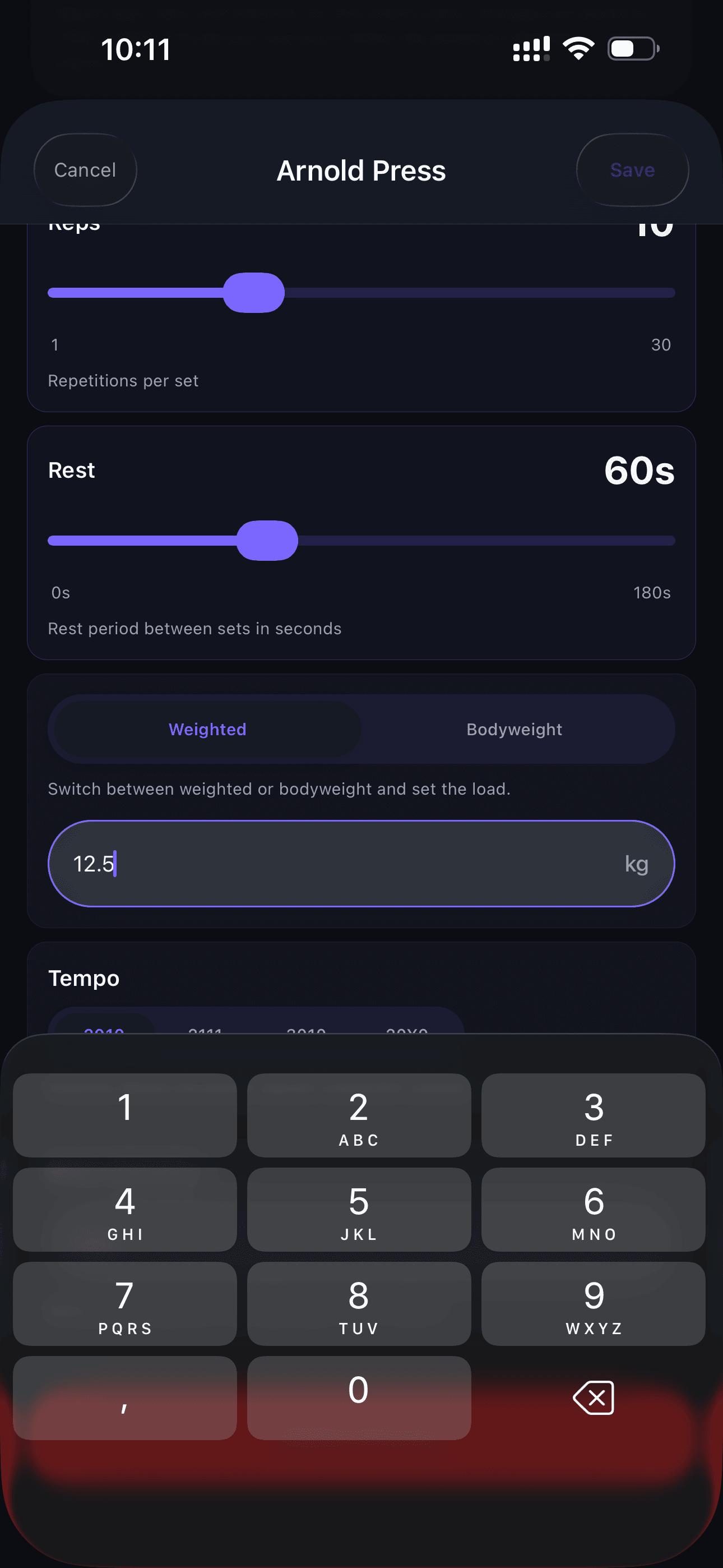
Set the Weight
Adjust weights — this is only possible on an individual plan since the blueprint is a general template.
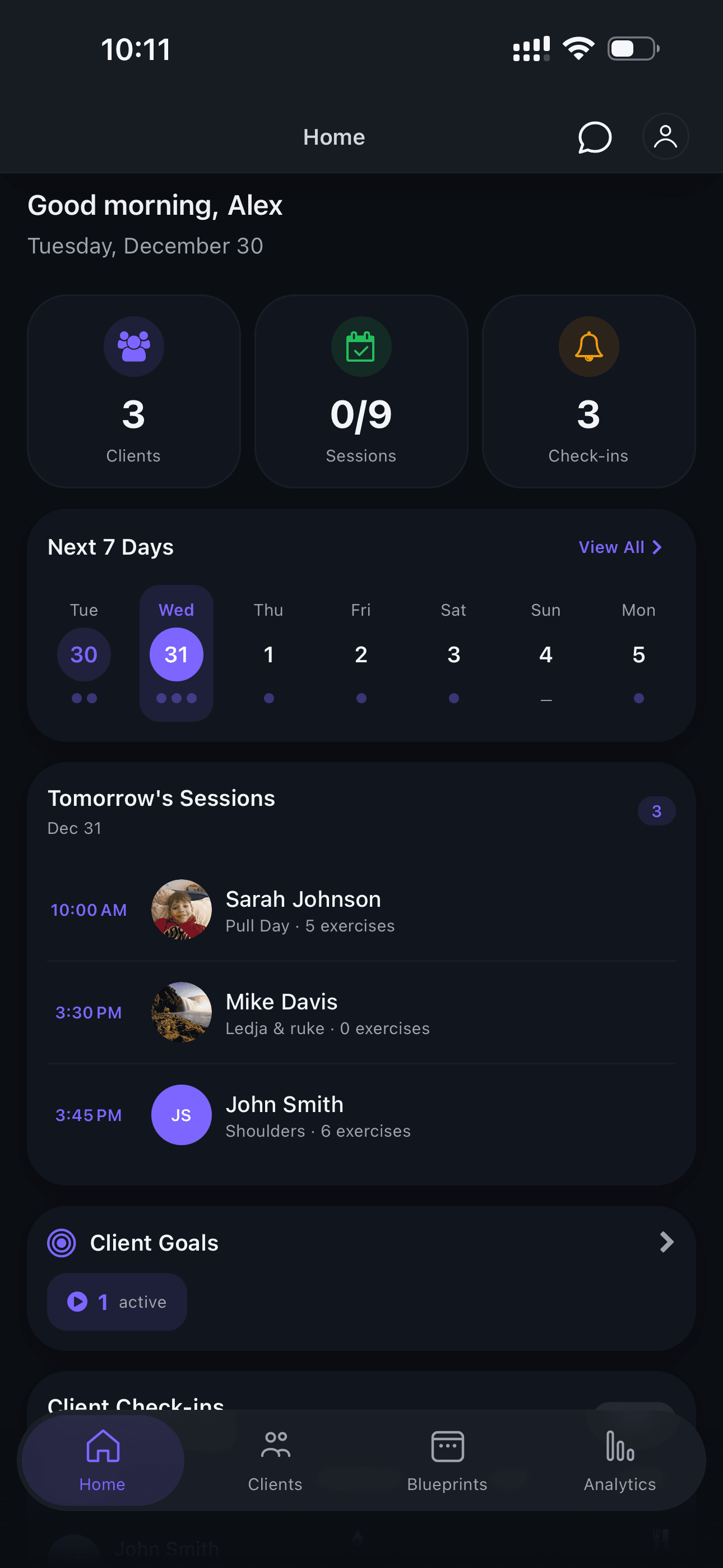
Check the Home Screen
Return to the home screen to see the updated calendar and the client you just assigned the plan to.
More Guides Coming Soon
We're preparing detailed guides for all app features. Stay tuned!
Ready to Get Started?
Contact us today and discover how Orion can transform your coaching business.